
Launching today

Visdiff
Stop bridging the design-to-code gap, close it
145 followers
Stop bridging the design-to-code gap, close it
145 followers
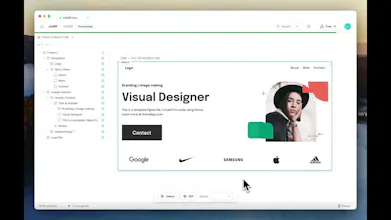
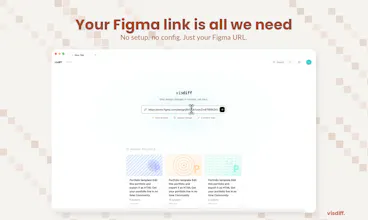
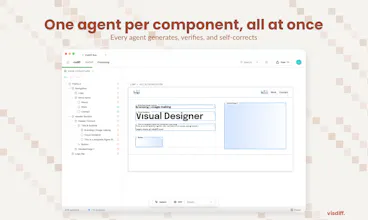
AI coding tools generate frontends that look close, but never match the design. You end up spending hours fixing spacing, fonts, colors, and layout. Design-to-code plugins generate rigid code. Visual regression tools catch problems but don't fix them. Visdiff closes the loop: paste your Figma link, and AI agents generate, verify, and fix the code against your design reference until it actually matches. No more "close enough." What you designed is what gets shipped.


Free Options
Launch Team / Built With


Congrats on the launch! When you say it integrates with existing codebases through MCP, what does that look like in practice?
Visdiff
@achraf_el_ghazi Thanks!
So the way it works is pretty simple, through MCP, Visdiff connects directly to your coding environment. Think of it as a bridge between your Figma design and your IDE.
In practice: you're working in your codebase as usual, you paste your Figma link, and Visdiff generates the code within your project structure using your existing components, your design system, your styling setup. Then it screenshots the rendered output, compares it to the Figma design, and keeps adjusting until it matches.
So you're not getting generic code dumped into a new project, it's writing code that fits into what you already have.
Visdiff
Hi, I’d definitely use this! I have 2 questions though. How do you map elements from design to implementation under the hood? And a real friction point for lots of us is that, unless given incredibly specific instructions, AI tends to just throw a magic number or an !important to pass a visual check, which over-time adds up to crazy tech debt. Does Visdiff address this?
Visdiff
@aya_birouk Thanks, glad it resonates!
On element mapping, each component gets first implemented in isolation based on Figma, then integrated into the existing codebase through MCP. This means the agent has full context on your existing components and logic, and reuses them as much as possible. So the matching is highly contextual and semantic, not just visual. This works regardless of whether you have a clean design system, a partial one, or none at all.
On the tech debt point, there are two guardrails: our first implementation in a controlled environment helps us guarantee best practices and being aggressive with code smells like magic numbers and !important (we consider any occurrence as a failure, prompting autonomous reiterations). Because the agent is grounded in your actual codebase, it doesn't just "make the screenshot pass." It knows your existing patterns, your components, your spacing tokens, your utility classes, so it takes an already good code and personalizes it based on what already exists in your project. The result is code that fits in, not code that hacks around the problem.
Visdiff
@anusuya_bhuyan Since it's the same Figma URL, you just hit refresh: VisDiff pulls the latest design, diffs it against your current code, and only updates what changed, so no need to start over.
We're also exploring auto-detection of Figma changes so it can trigger automatically. Would that be useful in your workflow?
What happens with responsive? Figma designs are usually at one breakpoint. Does VisDiff only match that specific size, or does it do anything to make sure the output doesn't fall apart at other screen widths?
Visdiff
@hamza_ifleh Good question, there are two parts to this. First, even with a single mockup, VisDiff generates responsive output by default. So if your design is a desktop frame, the implementation won't break on mobile out of the box.
Second, we're actively building multi-breakpoint support. You'll be able to link each Figma frame to a specific screen size (desktop, tablet, mobile) and VisDiff will match all of them simultaneously. Your 1440px frame, your 768px frame, and your 375px frame each converge to pixel-perfect, and the in-between sizes get handled cleanly. Design at the breakpoints you care about, we fill the gaps.
Trufflow
As someone that has experienced their design come out completely different when it gets implemented as code.... I love this idea. Are there certain differences that Visdiff have trouble detecting versus ones that it is best at?
Visdiff
@lienchueh Glad it resonates, that pain is exactly what pushed us to build this.
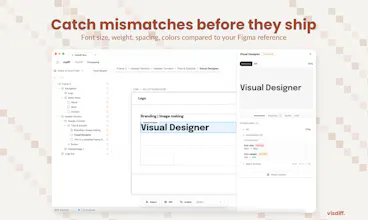
Where Visdiff is strongest is the stuff with concrete, measurable values in Figma: spacing, padding, font sizes, colors, alignment, and layout structure. Our agents compare computed styles from the rendered code directly against the Figma specs, so if a property has a number or a value in the design, it gets caught and fixed reliably.
The harder cases are things that often don't live in Figma, like animations, hover/interaction states, and other screen sizes, requiring taste. Those are areas we're actively working on.
Would love to hear what kind of projects you're working on, happy to share more about how it'd handle your specific use case.
good job guys, can you use the product to update existing frontends ?
Visdiff
@mohamed_zaidi Thanks! And yes, that's actually the main use case. VisDiff isn't about generating code from scratch. It takes your existing frontend and gets it to match a new or updated design. You point it at your running app, point it at the design, and it figures out exactly what needs to change.
We ground the process in both your design and your codebase at the same time. So instead of you manually keeping two sources of truth in sync, VisDiff handles that alignment for you.