
Launching today

Visdiff
Stop bridging the design-to-code gap, close it
172 followers
Stop bridging the design-to-code gap, close it
172 followers
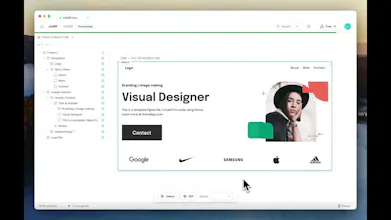
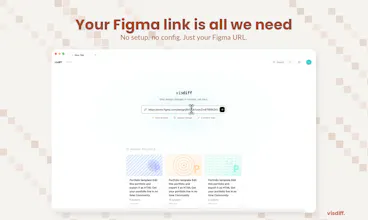
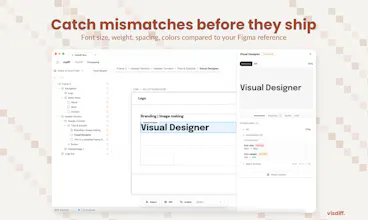
AI coding tools generate frontends that look close, but never match the design. You end up spending hours fixing spacing, fonts, colors, and layout. Design-to-code plugins generate rigid code. Visual regression tools catch problems but don't fix them. Visdiff closes the loop: paste your Figma link, and AI agents generate, verify, and fix the code against your design reference until it actually matches. No more "close enough." What you designed is what gets shipped.


Free Options
Launch Team / Built With


Visdiff
@bengeekly Hey, thanks!
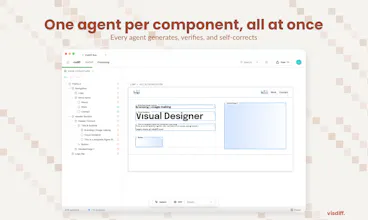
Most design-to-code tools give you a first pass and leave you to fix the rest manually. We do the fixing part too. VisDiff generates the code, then screenshots what it built, compares it to the Figma, and keeps iterating until it actually matches. You can finally get production ready output instead of a rough starting point.
From there you can take the code directly or use our MCP server to plug it into your existing codebase.
Target is both developers and agencies. We come from an agency background and built this for ourselves first. Individual devs shipping UI from Figma have the same pain, just at a different scale. Designers aren't the primary user today, but the direction we're heading is making it possible for designers to push changes without waiting on a developer at all.
Visdiff
@bengeekly We use React + Tailwind internally for the generation and diffing phase, that's where we get the code to spec. But when you integrate the output into your codebase through MCP, your coding agent (Cursor, Claude Code, etc.) can translate it into whatever framework or language your project uses. So the internal engine is React + Tailwind, but you're not locked into that on your end.
Congrats on the launch! When you say it integrates with existing codebases through MCP, what does that look like in practice?
Visdiff
@achraf_el_ghazi Thanks!
So the way it works is pretty simple, through MCP, Visdiff connects directly to your coding environment. Think of it as a bridge between your Figma design and your IDE.
In practice: you're working in your codebase as usual, you paste your Figma link, and Visdiff generates the code within your project structure using your existing components, your design system, your styling setup. Then it screenshots the rendered output, compares it to the Figma design, and keeps adjusting until it matches.
So you're not getting generic code dumped into a new project, it's writing code that fits into what you already have.
I’ve run into this a lot working on frontend projects. The generation part is fast, but getting things pixel perfect still takes time. Curious to see how well this performs in real-world use.
Visdiff
@iimedr We've been using VisDiff on real client work at our agency for a while now, and design changes that used to take hours of back-and-forth are down to minutes. In the demo video of this announcement, the design was implemented autonomously in less than 3 minutes. We'd love for you to try it and see for yourself.
How is this different from other Figma-to-code tools ?
Visdiff
@saad_zitouby Good question! The short version: most Figma-to-code tools stop after generating the code. You get a first attempt and then you're on your own fixing everything that's off.
We added the step nobody else does: after generating, VisDiff screenshots the actual result, compares it back to the Figma design, and auto-fixes what doesn't match. It keeps doing that until the output is accurate, not just close.
So the difference isn't really in how we generate, it's that we verify and correct our own work systematically until it converges on the design.
Does it work with my existing design system ?
Visdiff
@lina_tidli Yes! VisDiff is design-system agnostic as it works from the Figma file directly. It doesn't need to understand your tokens or component library to do the diffing, since it's comparing visual output against the design.
When you integrate the code into your existing codebase through MCP, that's where your design system matters, and it respects whatever's already there.
How does it handle responsive designs where the same component looks different across breakpoints? Congrats on the launch!
Visdiff
@mcarmonas Thanks! Even with a single Figma frame, the output is responsive out of the box. So a component designed at desktop width won't fall apart on smaller screens.
For cases where you've designed the same component differently at each breakpoint, we're building multi-frame support: you'll be able to point VisDiff at your desktop, tablet, and mobile frames and it'll converge each one independently. Not shipped yet, but it's high priority for us.
JumprAI
congrats on the launch ! very cool tool, and very intuitive to use!
Visdiff
@itsmasa Thank you! Your tool seems extremely useful by the way 🚀