
Launched this week

Visdiff
Stop bridging the design-to-code gap, close it
231 followers
Stop bridging the design-to-code gap, close it
231 followers
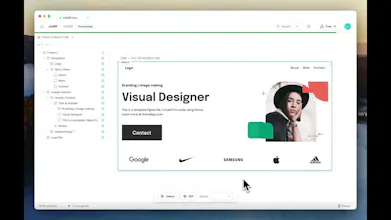
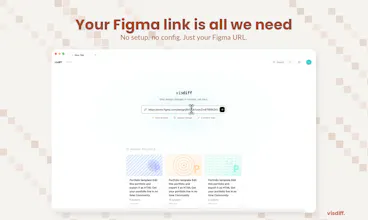
AI coding tools generate frontends that look close, but never match the design. You end up spending hours fixing spacing, fonts, colors, and layout. Design-to-code plugins generate rigid code. Visual regression tools catch problems but don't fix them. Visdiff closes the loop: paste your Figma link, and AI agents generate, verify, and fix the code against your design reference until it actually matches. No more "close enough." What you designed is what gets shipped.


Free Options
Launch Team / Built With


The Figma URL approach with no setup is a big deal. I've used Cursor to build UIs from Figma screenshots and the spacing is always slightly off. Does it work with any frontend framework or are there specific ones it handles best?
Visdiff
@ray_artlas Yes! It works with any codebase since it integrates through MCP. So whatever framework or stack you're using, it plugs right in. You just paste your Figma link and it handles the rest.
@kabirimouad Good to know, thanks! That makes it way more flexible than I expected.
Timelaps
Visdiff
@harryzhangs Thanks! Glad the messaging landed.
We think better generation tools make what we're building more relevant, not less. As more UI gets AI-generated, the verification gap grows with it. And that gap hurts most in teams: when a designer hands off to three developers, each implementing different pages, and none of them match the design the same way. The back-and-forth to get everything aligned is where the real time goes.
Near term we're closing that loop between design and implementation. Longer term, the vision is to keep any design source in sync with the codebase, with the developer always in control of what gets applied. Designers design, developers engineer, and VisDiff handles the handoff so no one's stuck checking each other's work.
What happens when design intent conflicts with implementation constraints, does it keep iterating or surface the tradeoff?
Visdiff
@wallerson Great question. It doesn't iterate forever. If the engine exceeds a set number of attempts without converging, it surfaces the issue to you with what it tried and where it's stuck. At that point you can decide how to handle the tradeoff rather than the tool silently spinning. On the responsiveness side, the code is built with flexible, responsive patterns from the start rather than trying to pixel-match with brittle absolute positioning. You can also set up multiple viewports so it's validating across screen sizes simultaneously, which catches a lot of the cases where something looks perfect at one width but falls apart everywhere else.
Design-to-code handoff has been broken forever and pixel-level visual diffing in CI could actually fix it. Does it catch CSS issues like spacing/font rendering differences across browsers too, or just layout-level changes?
Visdiff
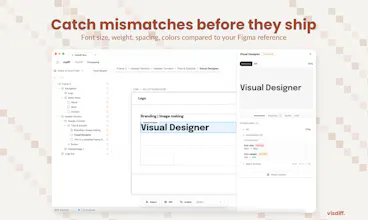
@greythegyutae Thanks! To clarify, it does catch CSS-level differences today. Spacing, font sizing, padding, colors, border radius, alignment. Not just broad layout shifts.
CI integration isn't live yet but it's on the roadmap, and when we build it, cross-browser diffing is a must. Font rendering differences between Chrome and Safari alone cause enough headaches to justify it. For now it runs locally during development, but the goal is exactly what you're describing: catching visual regressions before they ship.
good job guys, can you use the product to update existing frontends ?
Visdiff
@mohamed_zaidi Thanks! And yes, that's actually the main use case. VisDiff isn't about generating code from scratch. It takes your existing frontend and gets it to match a new or updated design. You point it at your running app, point it at the design, and it figures out exactly what needs to change.
We ground the process in both your design and your codebase at the same time. So instead of you manually keeping two sources of truth in sync, VisDiff handles that alignment for you.
Visdiff
@bengeekly Hey, thanks!
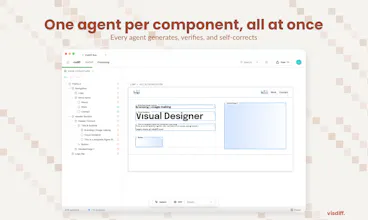
Most design-to-code tools give you a first pass and leave you to fix the rest manually. We do the fixing part too. VisDiff generates the code, then screenshots what it built, compares it to the Figma, and keeps iterating until it actually matches. You can finally get production ready output instead of a rough starting point.
From there you can take the code directly or use our MCP server to plug it into your existing codebase.
Target is both developers and agencies. We come from an agency background and built this for ourselves first. Individual devs shipping UI from Figma have the same pain, just at a different scale. Designers aren't the primary user today, but the direction we're heading is making it possible for designers to push changes without waiting on a developer at all.
Visdiff
@bengeekly We use React + Tailwind internally for the generation and diffing phase, that's where we get the code to spec. But when you integrate the output into your codebase through MCP, your coding agent (Cursor, Claude Code, etc.) can translate it into whatever framework or language your project uses. So the internal engine is React + Tailwind, but you're not locked into that on your end.
I’ve run into this a lot working on frontend projects. The generation part is fast, but getting things pixel perfect still takes time. Curious to see how well this performs in real-world use.
Visdiff
@iimedr We've been using VisDiff on real client work at our agency for a while now, and design changes that used to take hours of back-and-forth are down to minutes. In the demo video of this announcement, the design was implemented autonomously in less than 3 minutes. We'd love for you to try it and see for yourself.