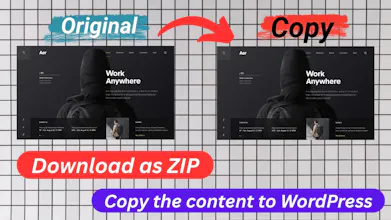
Clone any public website and download it as a ZIP, or copy its content straight to WordPress or Blogger. WebCloner captures full HTML, CSS, JavaScript, and assets — even from React, Vue, and Angular sites — with single-page, standard, or deep recursive cloning. Built for developers, agencies, freelancers, and content creators to migrate, back up, or study websites fast. Free plan available, no credit card required.
No reviews yetBe the first to leave a review for WebCloner
Maker
📌
👋 Hey Product Hunt!
I built WebCloner because every time I needed to migrate a client's site, back up something before a redesign, or just study how a well-built page was put together, I ended up stitching together three different scraping tools — and still missing half the JavaScript-rendered content.
WebCloner uses a headless browser to fully render pages first (so React/Vue/Angular sites come through intact), then packages everything — HTML, CSS, JS, images, and assets — into a ZIP you can use immediately. If you're moving content to WordPress or Blogger, you can skip the manual rebuild entirely and export straight into an import-ready feed.
A few things I'm especially proud of:
Full recursive site cloning, not just single pages
Handles JS-heavy modern frameworks other scrapers choke on
One-click WordPress & Blogger export (with a free WP plugin)
Free plan, no credit card needed to try it
Would love to hear what you'd use this for — and if you hit any edge cases (weird site structures, auth walls, etc.)
I am waiting for your feedback!
Thank you for checking it out.
Report
This looks genuinely useful for migrations, and the fact that it handles React and Vue sites is a big plus since most cloners fall apart on SPAs. One thing I'd love to see is a built-in diff tool that highlights what changed between two clones of the same site, so you can track redesigns or spot unwanted modifications over time without juggling external diff apps.
Report
Maker
@hediyedilli Thanks! That's a really great suggestion. I'll definitely keep it in mind for future updates.
Report
This looks super useful for migrations. One thing that would help a lot is letting users exclude certain scripts or analytics tags during the clone - stuff like Google Tag Manager or chat widgets that always break when moved to a new domain. A simple toggle or regex exclusion list before you hit download would save a lot of cleanup time.
Report
Tried cloning a React portfolio and it grabbed all the components cleanly without breaking the routing, which honestly surprised me. The ZIP export was ready in like 30 seconds.
This looks genuinely useful for migrations, and the fact that it handles React and Vue sites is a big plus since most cloners fall apart on SPAs. One thing I'd love to see is a built-in diff tool that highlights what changed between two clones of the same site, so you can track redesigns or spot unwanted modifications over time without juggling external diff apps.
@hediyedilli Thanks! That's a really great suggestion. I'll definitely keep it in mind for future updates.
This looks super useful for migrations. One thing that would help a lot is letting users exclude certain scripts or analytics tags during the clone - stuff like Google Tag Manager or chat widgets that always break when moved to a new domain. A simple toggle or regex exclusion list before you hit download would save a lot of cleanup time.
Tried cloning a React portfolio and it grabbed all the components cleanly without breaking the routing, which honestly surprised me. The ZIP export was ready in like 30 seconds.