
What's Up With That?
Get instant insights about the topic you're reading about
141 followers
Get instant insights about the topic you're reading about
141 followers
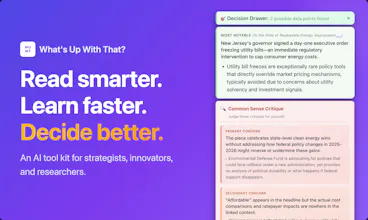
Read any article like expert in one click. WUWT is a browser extension that creates a real-time map of the state of the art in any industry, then tells you what's new in any article you're reading - in 10 seconds. Then, run any of 35 AI tools based on mental models (Red Team, Causal Loop Diagrams, etc) or get a personalized research plan to run with a click. Auto-captures data points for your decisions as you read, and more.



I've been able to test drive this prior to launch, and it's easily become part of my workflow. Quick and solid context for whatever I'm digging into. Well done, @marshallk !
@turoczy thanks Rick, that makes me so happy to read. Looking forward to seeing how startups you're evaluating get put in context all the easier.
I am using the extension on Edge, but it didn't work. I thought the extension would automatically detect the page and analyze it, however, it asked for a local PDF, and even after uploading one, it didn't return any results. Maybe it's a browser compatibility issue?
@matheusdsantosr_dev hi Matheus, to be honest Edge is not a browser I've tested on yet. Chrome, Firefox, Vivaldi all work well. Safari is on its way.
That sounds like "edge" case behavior (if you will) that I will look into, thank you.
One thing you can do in Chrome when it's unable to capture text on a page is "select all" and then run the extension, then it should analyze it. Sorry for the Edge weirdness! Thanks for testing it out!
@matheusdsantosr_dev Good news: I've tested on Edge and fixed the problem! Updates are going to the Extension store now (hopefully available soon) and I'm even going to put the Edge logo up as a supported browser. Thank you!!
@marshallk This is really cool! Can you ask follow up questions as well if you need more insight or clarification? Are there one-click save options like export as PDF or an excel file?
@jacklyn_i thanks! There's a save to Google Drive function that works but I'm cleaning up the formatting for right now, and in the Power Tools window there is a Markdown export. PDF and excel are interesting ideas. I can imagine gathering research on a number of articles or websites and then exporting them all to different tabs in a spreadsheet. What were you imagining?
This is dangerous in a good way. Most people skim and feel smart. This actually forces structured thinking on top of what you read. The ‘state of the art map’ angle is strong if it truly separates signal from noise in 10 seconds, that’s serious leverage.
Curious how you prevent analysis overload with 35+ tools though. Power is great but clarity wins.
@krystian_n_l_ Thanks! This is totally about lowering the cognitive weight of doing structured thinking.
As for preventing analysis overload with the 35 tools, there are three steps I'm taking.
I moved all but 4 of the tools behind the "power tools" menu
In that power tools menu, you can pin just your favorite methods and leave the others behind the closed drawers, not even seeing them
The "Generate Research Plan" pictured below says "here's what we recommend you run on this page, given the page contents, you're POV, and the toolbox." Then with one click it runs all of those steps for you.
In the end we "Distill" down to just three key details: which detail is most descriptive of the whole situation? Which detail is most explanatory of root causes? And which detail is most predictive of possible future directions.
Amazing one, I believe it will help a lot in the current disruption where we have a lot of things to read faster and smarter!
Are you plan to have action items linked to research and understanding of topics and articles?
Congratulations on the launch! I like the idea. The only thing is I would tweak the design a bit: there are too many colors, making it hard to process.