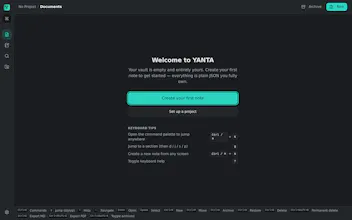
YANTA is a simple, modern notes app for people who prefer the keyboard. Open it, jot down a thought, and find it when you need it. You can capture notes and search without reaching for the mouse. You get Vim-style controls on Windows, macOS, or Linux. You do not need to know Vim. YANTA stores each note as a plain JSON file you own. It requires no cloud account. You decide whether to connect an AI tool through the local MCP server.
No reviews yetBe the first to leave a review for YANTA
Maker
📌
Hey Product Hunt, I built YANTA because I wanted a notes app that felt simple and modern without slowing me down.
I prefer the keyboard. Reaching for the mouse broke my flow. I kept finding note apps that stored my writing in databases or put AI features in the editor. I wanted to open the app, jot down a thought, and find it later.
YANTA stores each note as a plain JSON file in a local vault. You can capture notes and search without reaching for the mouse. The controls borrow from Vim. You do not need to know Vim, and I made it for anyone who prefers a keyboard.
YANTA requires no account. You decide whether to connect an AI tool through the local MCP server.
I want your feedback on the first ten minutes. Tell me where you reached for the mouse or lost your place.
Report
Nice focus on staying keyboard-first without making Vim knowledge a requirement, that lower the barrier nicely. One thing I'd love is a global hotkey to instantly capture a thought into a new note from anywhere on the system, so I never break flow to switch windows and start typing.



Hey Product Hunt, I built YANTA because I wanted a notes app that felt simple and modern without slowing me down.
I prefer the keyboard. Reaching for the mouse broke my flow. I kept finding note apps that stored my writing in databases or put AI features in the editor. I wanted to open the app, jot down a thought, and find it later.
YANTA stores each note as a plain JSON file in a local vault. You can capture notes and search without reaching for the mouse. The controls borrow from Vim. You do not need to know Vim, and I made it for anyone who prefers a keyboard.
YANTA requires no account. You decide whether to connect an AI tool through the local MCP server.
I want your feedback on the first ten minutes. Tell me where you reached for the mouse or lost your place.
Nice focus on staying keyboard-first without making Vim knowledge a requirement, that lower the barrier nicely. One thing I'd love is a global hotkey to instantly capture a thought into a new note from anywhere on the system, so I never break flow to switch windows and start typing.