

ArkTabs 4: Automatic Memory Saver - Periodically suspend Tabs

Hi everyone!
🤔 Do you know ArkTabs has memory saving functionality?
Well, here is something that is also very important:
Arkida Mockups is launching on Product Hunt. https://www.producthunt.com/products/arkida?launch=arkida
Follows, comments and shares would be highly appreciated! The more popularity it get, the more features it will get. 🤝
Thank you!
Here is how Inactive Tabs Suspending works in ArkTabs 3:
Open ArkTabs (Alt + P by default or Click ArkTabs Icon)
Click on Workspaces in bottom menu
Click on Suspend Inactive Tabs
Enter the time value and click Suspend Tabs.
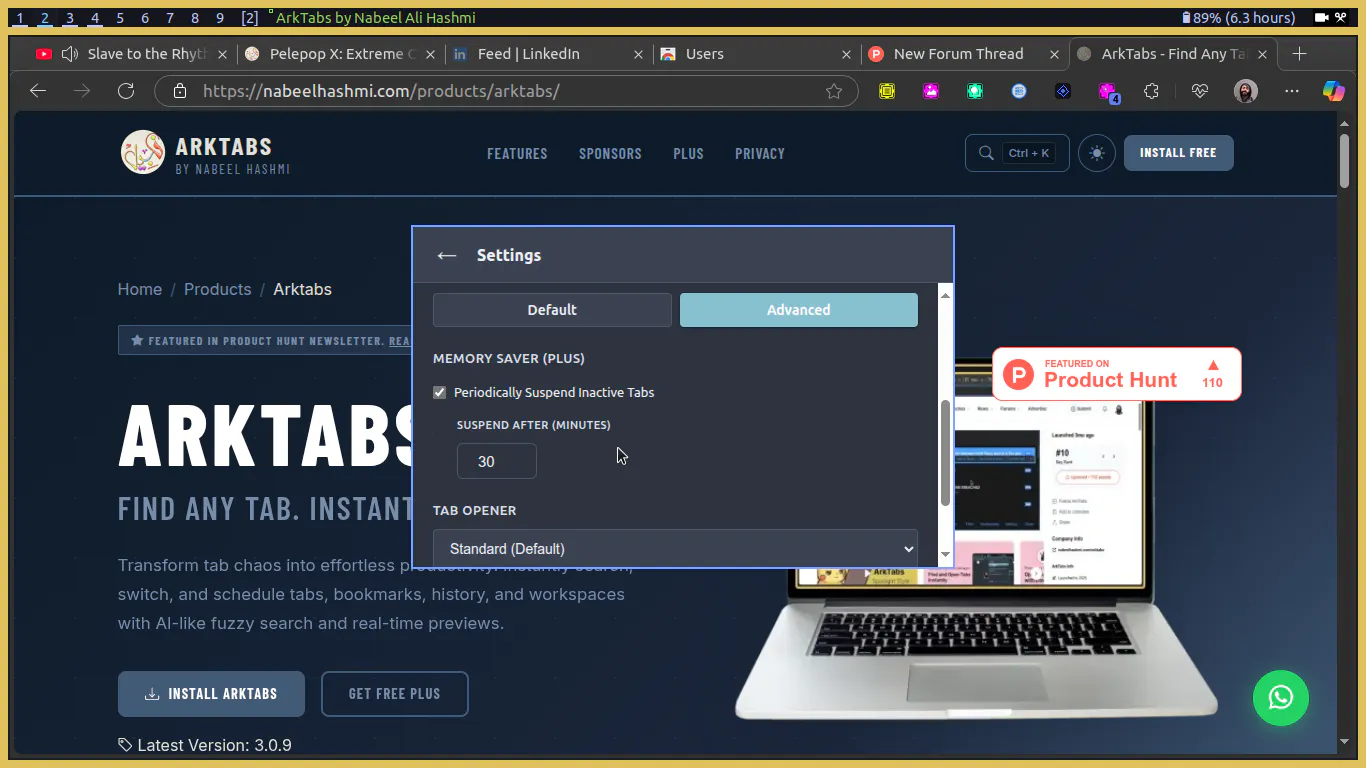
But In upcoming ArkTabs 4 we'll see an automatic memory saver that'll suspend the tabs automatically.
Please let me know what do you think about this!
For updates please keep checking ArkTabs product page on https://nabeelhashmi.com
Thank you!
Replies
Hi everyone!
Thank you!