

Introducing the new visual launch editor!!!

Hi everyone!
I'm super excited to share our new visual launch editor. It's built to make launching on Product Hunt a lot easier.
While working on launches ourselves, and watching makers go through theirs, we kept seeing the same three pain points:
Too many clicks and steps. Getting a launch live meant working through a long multi-step form.
You couldn't see your launch. You didn't really know what it would look like until you were done.
Editing was disruptive. To change something, you had to jump back into the launch flow and find it again.
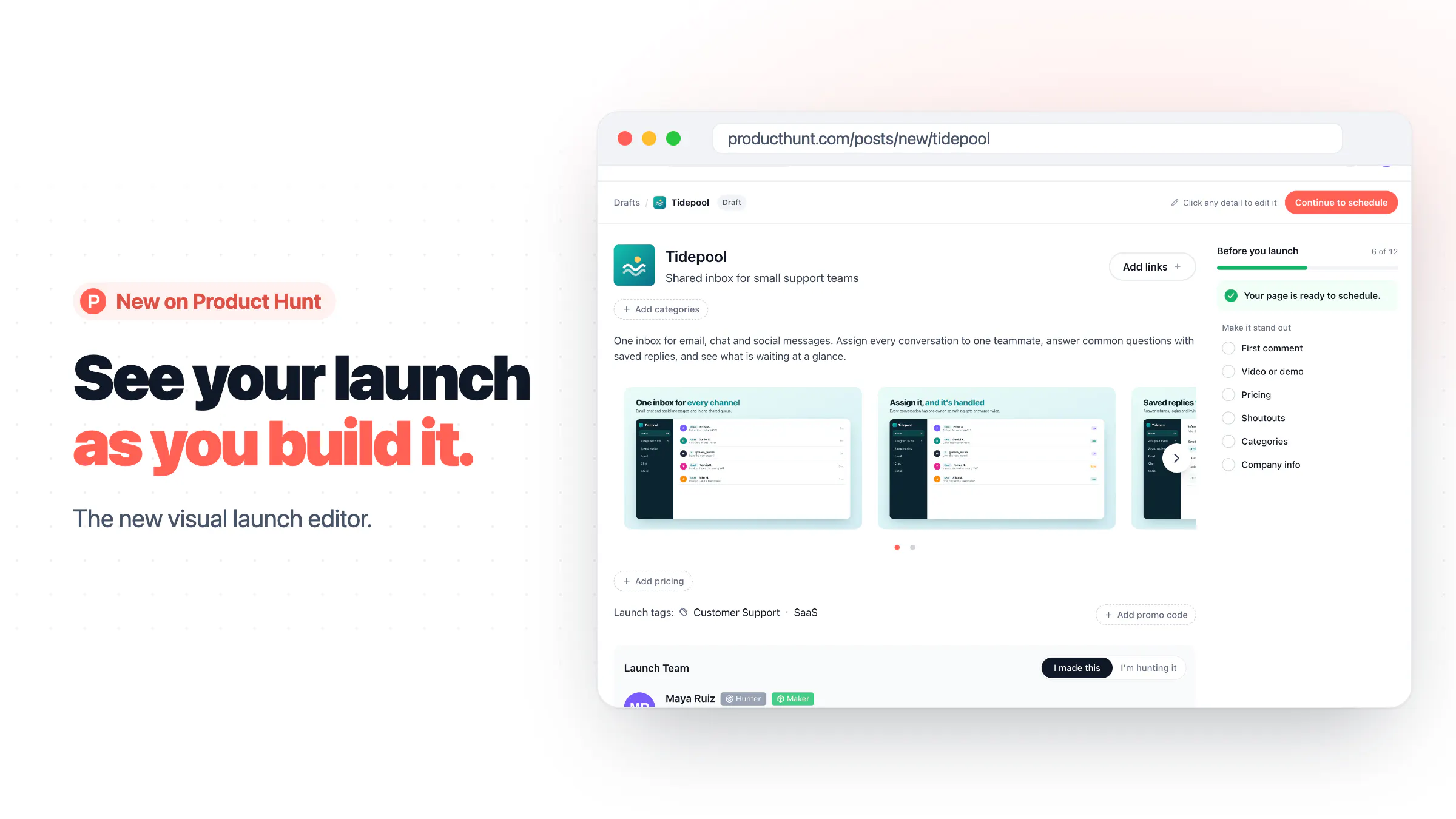
We thought it should be simpler: one visual place where you see your launch exactly as it will look live, and edit it right there.
So we built the visual launch editor:
Click anything to edit it. Name, tagline, description, gallery, pricing, tags, makers and your first comment are all edited right on the page.
A launch checklist shows what's required and what will help your launch stand out. Tap any item and the editor takes you straight to that field.
One editor for every stage. Drafts, scheduled launches and live launches all open in the same place.
A major shout-out to @rajsb_ for spearheading and leading this. He'll be in the comments dropping some engineering wisdom, so bring your questions. 🙌
Go launch something new and let us know what you think!
Support the launch: https://www.producthunt.com/products/producthunt/launches/product-hunt-visual-launch-editor
Replies
Thanks @gabe, Wanted to share a bit more on the design choices,
With this new editor, we wanted makers to focus on one change, while still seeing how it fits with rest of the page. Simple edits happen on the page, while larger sections open in panels. The experience should also much smoother on the mobile web with this update.
We also added a checklist in the sidebar while you are submitting your launch so you don’t have to keep track of everything yourself. It separates required details from suggestions, helps you decide what to work on next, and takes you straight to the relevant field.
If you've launched before, I would love to hear what still feels awkward in the new post submission flow.
ooo this is really cool! i might test it out this weekend :)
I tested it, the design is great, and the AI auto filling is accurate. Here is my feedback:
I believe that videos are an important part of a Launch this make it feel secondary:
Important: I can't understand the difference between category and tags, I put the same things.
Company info is a bit confusing (the last one): Everything in the list act like a progress bar in the form of a checkbox, you fill the form and it works. Company info is not: you need to click on it from the checkbox to fill it.
To finish my launch, I'm missing an image, but I want to keep it saved and come back to finish it later. I believe it's auto saved but it wasn't clear for me