

glancecard 0.4.0 — every star, since the first

Every star your repos ever got, on your cards ⭐
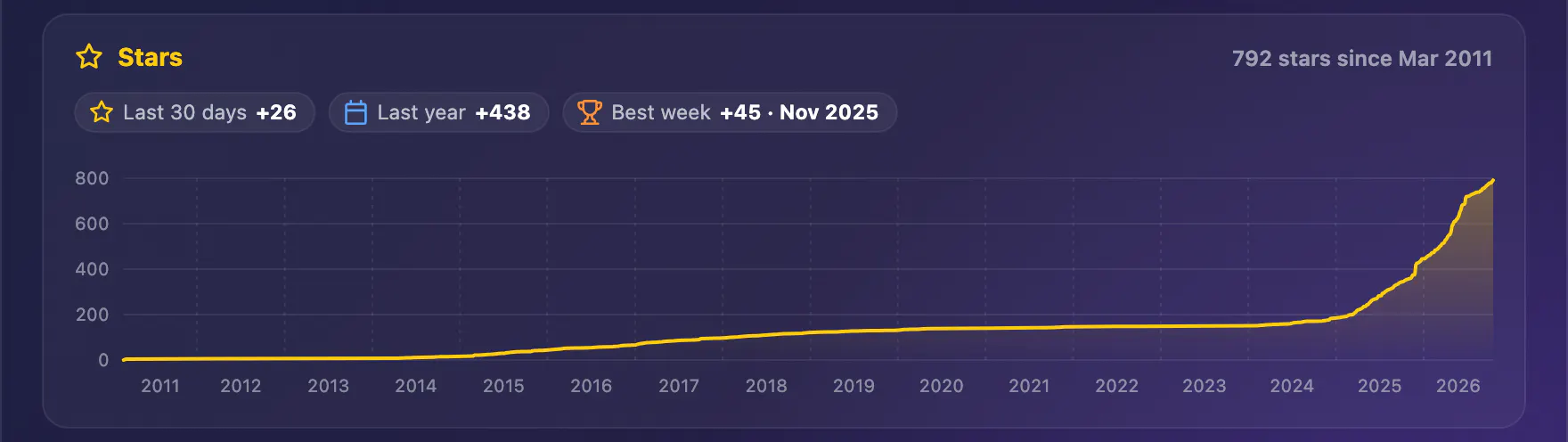
I used to have a Star History chart in my profile README, and took it out: it often didn't load, and it never looked like the rest of the page. This summer GitHub made the list of who starred a repository visible only to its admins and collaborators, and that list is what those charts read. Then in August GitHub opened a new, privacy-safe endpoint: the star history itself, week by week, back to the day a repository was created. So glancecard draws it now.
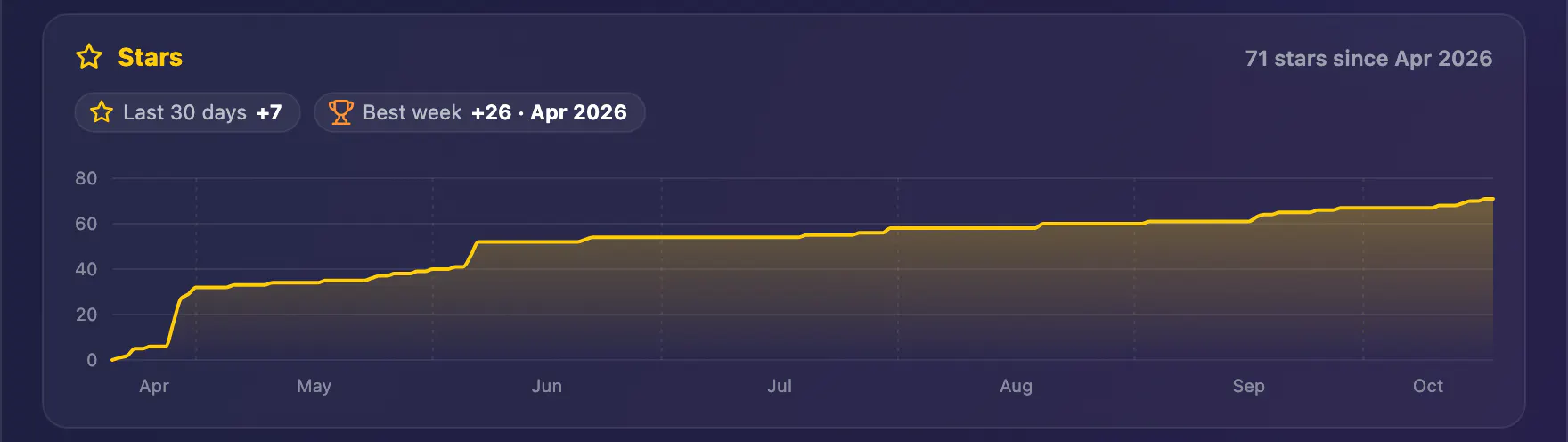
In 0.4.0 the repository card gets a Stars panel under its year of commits: the running total since the repository was created, with the last 30 days, the last year and the best week. The profile card gets the same panel for all your public repositories together, since your very first star.
It's on by default. To leave it out, drop stars from sections:
- uses: gfazioli/glancecard@v0.4.0
  with:
    profile: your-login
    sections: hero, tiles, activity, rhythm, code, commits, releases, contributors
The part I enjoyed getting right: GitHub counts the days of that history in Pacific time, not UTC. I only found out by checking it against the exact timestamps of my own stars. And the line only ever climbs or holds, the way a running total should, instead of dipping before a big day like a smooth curve would.
Tip: the first run reads the whole history, up to a request for every 30 weeks of each repository's life. glancecard keeps what it read in .stars.json next to the cards, so every run after that is one request per repository. My profile, 69 repositories back to 2011, took 427 requests the first time; after that it's 69, one per repository.
Upgrade: move the uses: line to @v0.4.0, or merge the pull request Dependabot opens for it.
What does your curve look like: a slow climb, or one big day? 👇
Website: https://gfazioli.github.io/glancecard/
GitHub: https://github.com/gfazioli/glancecard
Discord: https://discord.gg/rdWu5yFCR6
Replies
Be the first to reply
Have a question or a thought to share? Add a comment above to start the conversation.