


Lumno - Bring Arc's "Command Bar" UX to Chrome & Dia ( Now with Auto-PiP, Web Cropping & More)
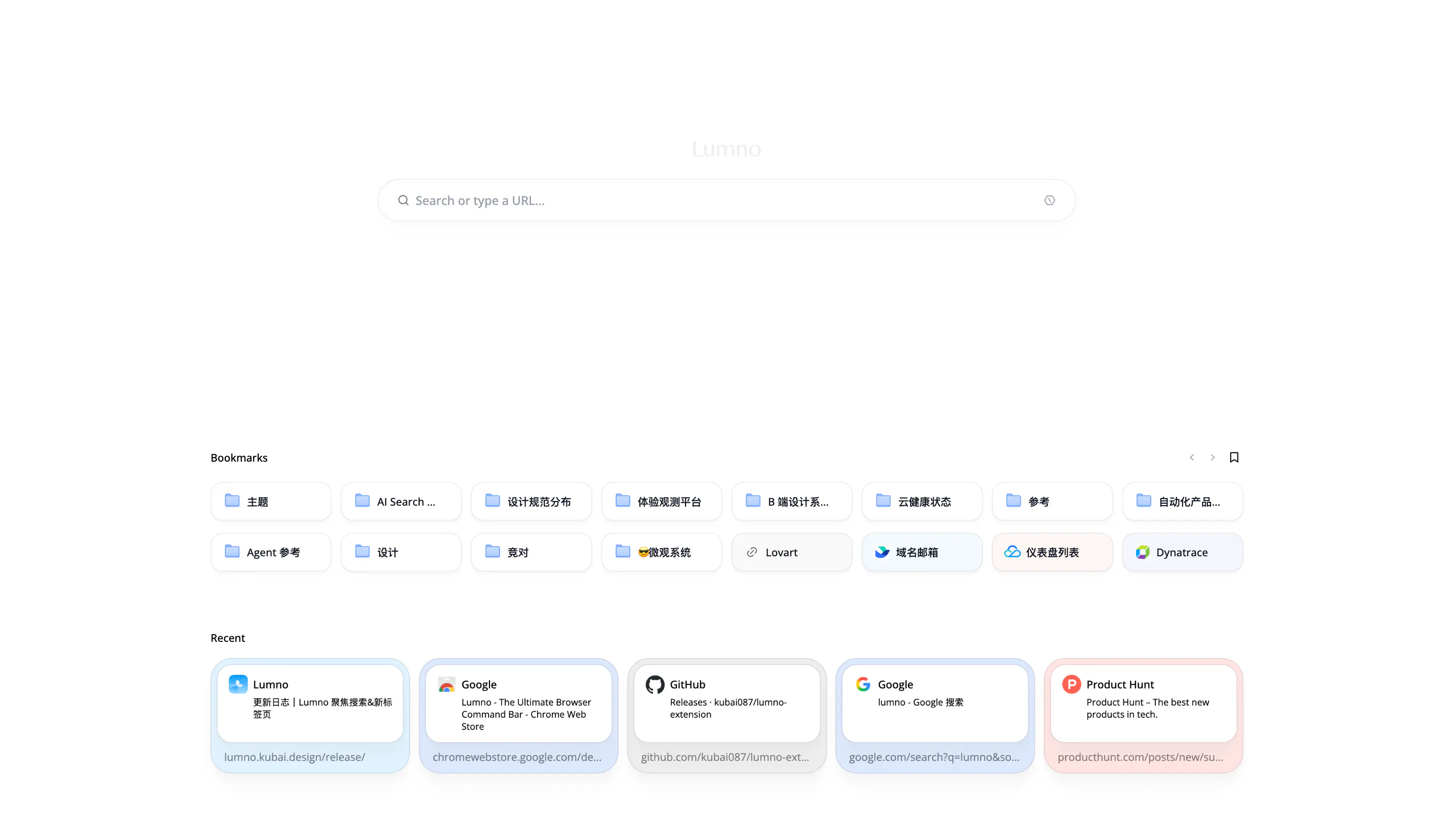
As someone who loves the Arc Browser's workflow but needs the stability and sync of Chrome/Edge, I always felt the experience was missing that "Mac-native" fluidity. So I built Lumno—a lightweight, design-first Command Bar for any Chromium-based browser.
I just pushed a major update that brings some of the most-requested "pro" features from Arc to the rest of the ecosystem.
New "Lab" Features
Auto-PiP (Just like Arc!): Long videos automatically trigger Picture-in-Picture when you switch tabs. Perfect for multitasking across the desktop.
Web Cropping: Turn any element on a webpage into a floating, "Always-on-Top" window. Monitor stocks, crypto, or sports scores while working in other apps.
Persistent Pinned Tabs: Fixes the annoying Chrome bug where pinned tabs disappear after a restart. They stay put, exactly like in Arc.
Recently Updated
Enhanced Search UX: Fixed overlay size (won't be affected by page zoom).
New "Search-First" vs. "Completion-First" toggle.
Hit Tab on any open tab to enter dedicated search mode.
Pro Shortcuts: Cmd+Shift+C to copy URL; Cmd+Shift+L to display URL instantly.
Privacy: Open-source, zero data collection, uses native Chrome storage sync.
Pricing: Completely Free.
Compatibility & Setup: Lumno officially supports Chrome, Edge, and Dia (and theoretically all Chromium browsers).
Go to chrome://extensions/shortcuts (or your browser's shortcut settings).
Set Lumno to Cmd+T (or Ctrl+T) for the full experience.
Note for Dia Users: If the shortcut doesn't trigger, change the scope from "In Dia" to "Global".
Replies