


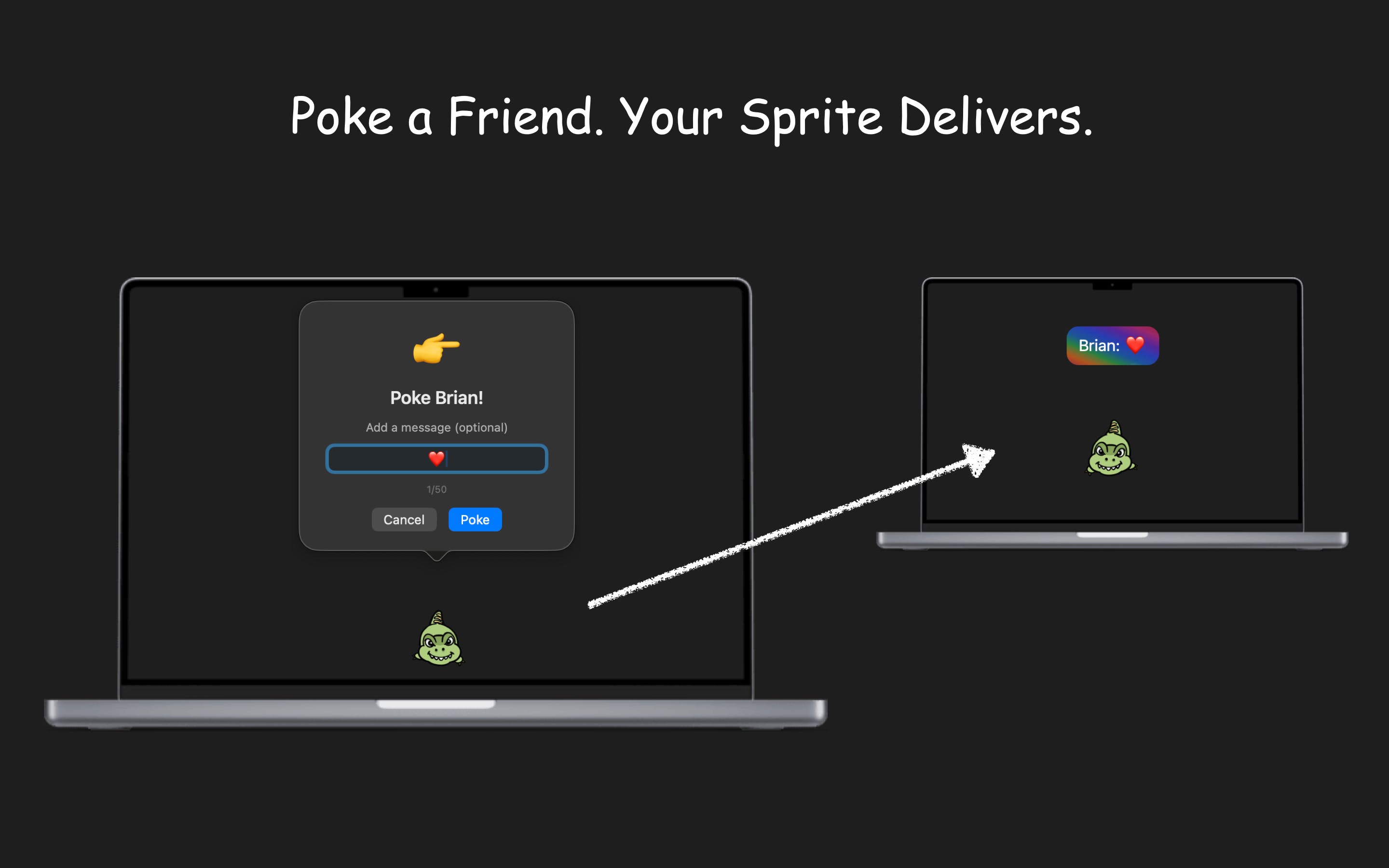
I added Poke to NotiSprite so your desktop companion can deliver messages to people you love.

Hey everyone,
I've been heads down working on some features lately and figured it was time to pop back in and share what's new.
Poke (this one's my favourite)
Your sprite can now deliver messages to your friends. We call it Poke. It shows up somewhere random on their screen with a fun little animation and delivers your message right there. It's ridiculous and fun and honestly kind of romantic? I've been poking my wife with it and it genuinely makes our day better. Sometimes tech doesn't need to solve a serious problem. Sometimes it just needs to make someone smile when a little character pops up on their screen with a message from you.
Smart Themes
As we kept adding more settings and customisation options for sprites, I noticed it was becoming a bit of a chore to set everything up the way you want. Nobody wants to spend 10 minutes tweaking sliders. So now there are Smart Themes. One click and everything configures itself automatically. Study theme when you need to focus, work theme to keep you on track, cinema theme when you just want to chill. And if none of those fit, you can build your own custom theme too. The whole point is to get out of your way and let you enjoy the sprite.
Pricing that actually works for everyone
I heard the feedback loud and clear. Some people don't want subscriptions, full stop. So here's what we've got now: there's a free tier with full features, you can buy individual sprites if there's one you really love, monthly or yearly subscriptions if you prefer keeping costs spread out, or a one time purchase to unlock everything. I tried to make sure nobody feels like they're being pushed into something that doesn't suit them.
NotiSprite Studio
Also worth mentioning, NotiSprite Studio is on the App Store now. If you want to create your own sprites, this is how you do it. Some people have turned family photos into desktop companions, which is honestly one of the most wholesome things I've seen users do with it. Your kid's face popping up to tell you to take a break? Pretty hard to ignore that.
NotiSprite on iOS and iPadOS
One of our users asked if they could bring their sprite to their iPhone and iPad. The answer is yes! NotiSprite is on iOS and iPadOS too. And it's not just a basic port. It handles notifications natively on those platforms, comes with widgets so your sprite lives right on your home screen, and there's even a playground where you can hang out and play with your sprite on your mobile device. Your little companion goes wherever you go.
What's next? You tell me.
I'm genuinely all ears. If there's something you'd love to see in NotiSprite, drop it in the comments. And as a thank you, if I end up building something you suggest, I'll send you a free code for any sprite you want.
My whole goal with this project is pretty simple. Life doesn't need to be so serious all the time. If a little animated character on your desktop makes your day even slightly more enjoyable, then I've done my job.
Thanks for reading, and thanks to everyone who's been using it and giving feedback. It really does mean a lot. ❤️
NotiSprite Website: https://notisprite.com
NotiSprite App Store: https://apps.apple.com/gb/app/notisprite-smart-desktop-pet/id6752292657
Replies