

Cover Images for Travel Animator — turn any route into a thumbnail in one tap
We kept hearing the same thing from creators: the video was great, but they were still screenshotting a random frame to use as a thumbnail.
That felt like a gap we could close.
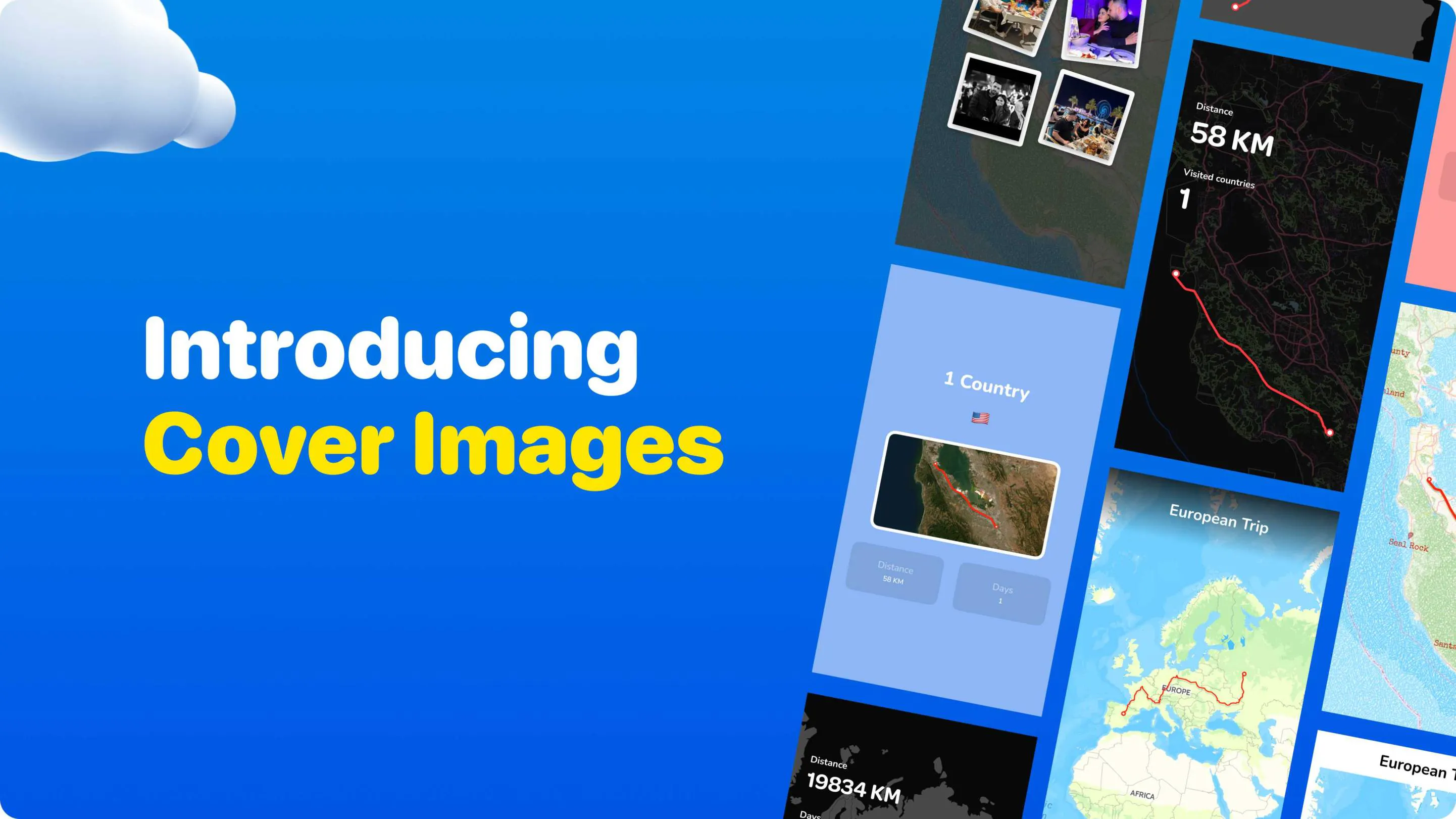
So we added Cover Images.
Export any route as a standalone image — 6 styles, ready to use as a thumbnail, a post, or the opening frame of your video. No extra steps, no third-party tool.
What’s included:
· Export your route as a cover image
· Drop it in as your video’s intro frame
· 6 styles (more in progress)
We’re still figuring out which styles resonate most with different types of creators. Curious which style fits your content best — ask us anything below. 👇
Would love to see how you use it.
80 views
Replies
Are there plans to allow custom branding within cover image? @angell019
TravelAnimator
@livia_bennett What level of custom branding are you looking for? For example—logos, colors, text overlays, or full layout customization?
Which creators segment are you seeing adopt this feature the fastest? @angell019
TravelAnimator
@johnny_ishak We’re seeing the fastest adoption among content creators, as this feature directly helps them create ready-to-use thumbnails and cover visuals.
@angell019 Do you plan to add AI-based style recommendation ns for thumbnails?
TravelAnimator
@tessa_lynch Not in our current roadmap, but AI-based style recommendations are something we’re open to exploring in the future.