
Launched this week

Aera Browser
The browser built for automation
399 followers
The browser built for automation
399 followers
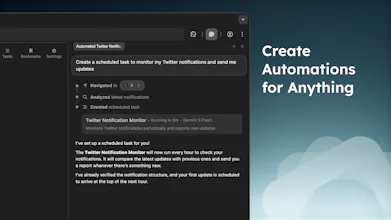
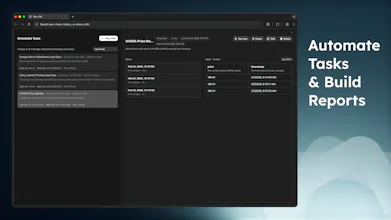
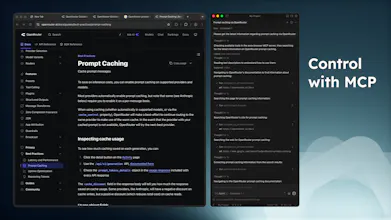
Meet Aera, the browser built for automating real workflows. Create tasks, and Aera runs full workflows in the background, handling context, execution, and reporting automatically. Connect tools like Cursor or Claude Code with MCP so agents can take real action, not just suggest it. Keep your data + history private and local-only. Try for free!




Clipboard Canvas v2.0
As someone who's worked on automation tools, I love the idea of Aera tackling real workflows directly in the browser. The integration with tools like Cursor and Claude Code is a smart move to boost functionality without compromising user data security. How have you ensured Aera can effectively handle complex websites without getting flagged as a bot?
Aera Browser
@trydoff Yep, and that is one of the reasons why forking Chromium became a priority over the original Electron application. Having access to the browser's core functionality at the deepest level allows Aera to perform actions like clicking/typing in a way that emulates human actions, rather than simply programmatically clicking buttons. This is taken a step further for subscription accounts, which can complete most levels of Captchas (there are a few really complex ones that it deals with) without user interaction.
That is one of the things this Chromium version of Aera highly prioritized, as the original Electron build would get flagged as automated behavior due to the limited access to the browser internals.
Aera Browser
@arivers Hey Andrew, super intrigued by Aera's MCP integration. What's one quick-win automation you've seen users pull off that blew your mind?
Aera Browser
@arivers when will you be making it available for mobile?
Aera Browser
@uzzi29 Mobile app is on the roadmap. Currently a few months out
Can your service go to an online store, find a product, and purchase it using my account? Is that possible without human involvement?
Aera Browser
@mykyta_semenov_ Yep, absolutely. And I have scheduled tasks running in the background that monitor pricing on Amazon and make purchases when items drop below a certain price.
@arivers But that’s one request every few hours. What if there are many requests at once—like analyzing multiple products, comparing prices, etc.? Amazon might detect it as a bot and block it. Are there any mechanisms to handle this?
The Aera browser looks promising. Congrats on the launch 🎉
Btw, is it based on Chromium?
Aera Browser
Do you plan to support running multiple tasks at the same time, or does Aera handle them one by one?
Aera Browser
Congrats on the launch @arivers , does it have an MCP?
Aera Browser
Automation browsers are getting popular. How does Aera handle sensitive data like saved passwords during automated workflows?
Aera Browser
@alielastal Aera doesn't get access to autofill or password information for security reasons as otherwise prompt injection could cause your credentials to be exposed. Right now, it expects that you are logged in on any given site. If it sees that you need to provide your log in information, it will prompt you to do so and wait for you to complete. Otherwise, it could absolutely make its own account for these services as well
@arivers That makes sense — keeping credentials out of the automation layer is the right call. Smart approach!