
ContextPool
Persistent memory for AI coding agents
287 followers
Persistent memory for AI coding agents
287 followers
Every AI coding session starts from scratch. You re-debug the same bugs, re-explain decisions you already made. Your agent forgets everything. ContextPool gives your agent persistent memory. It scans your past Cursor and Claude Code sessions, extracts engineering insights (bugs, fixes, design decisions, gotchas), and loads relevant context via MCP at session start. No prompting needed. Works with Claude code, Cursor, Windsurf, and Kiro. Free and open source - team sync available for $7.99/mo.




Hey Product Hunt 👋
We built ContextPool because we kept hitting the same wall: every time started a new Claude Code or Cursor session, my agent had zero memory of what we'd already figured out together. Same bugs re-discovered. Same architectural decisions re-explained. Same gotchas re-learned.
It felt like working with a brilliant colleague who gets amnesia every morning.
So we built a persistent memory layer specifically for AI coding agents. Here's how it works:
1. Install with one curl command (30 seconds, single binary, no dependencies)
2. Run `cxp init` - it scans your past sessions and extracts engineering insights using an LLM
3. Your agent automatically loads relevant context via MCP at session start
What it remembers isn't conversation summaries - it's actionable engineering knowledge:
→ Bugs & root causes ("tokio panics on block_on in async context")
→ Fixes & solutions ("Use #[tokio::main] instead of manual Runtime::new()")
→ Design decisions ("Chose libsql over rusqlite for Turso compatibility")
→ Gotchas ("macOS keychain blocks in MCP subprocess context")
It works with Claude Code (zero config), Cursor, Windsurf, and Kiro. Local-first and privacy-first - raw transcripts never leave your machine, only extracted insights sync when you opt in.
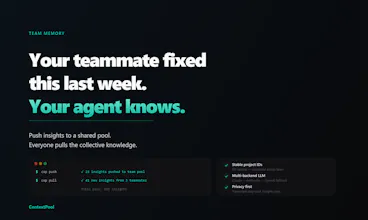
The team memory feature is what we are most excited about: push insights to a shared pool, and everyone on the team pulls the collective knowledge. Your teammate debugged something last week? Your agent already knows.
Free and open source for local use. $7.99/mo for team sync.
We'd love to hear: what's the most frustrating thing you keep re-explaining to your AI coding agent? And if you try it - what insights does it extract from your sessions?
GitHub: https://github.com/syv-labs/cxp
@majidyusufi How well does ContextPool handle extracting team-specific patterns, like our custom error-handling conventions, for shared pools?
@majidyusufi @swati_paliwal ContextPool doesn't require you to manually document your conventions. If your error handling pattern comes up repeatedly across sessions — someone debugging it, someone extending it, someone explaining it to the agent — those sessions get summarized, and the pattern naturally crystallizes in the shared pool over time.
So instead of writing a style guide nobody reads, your conventions get captured in the moment they matter, while someone is actually working with them.
That said, it's worth being honest: the extraction quality depends on how explicitly those conventions surface in sessions. If your custom error handling is just silently applied, it might not get captured as richly as a session where someone actively debugs or explains it. The more the agent engages with a pattern, the better the memory.
@majidyusufi the local file approach makes this feel a lot more usable than yet another hidden memory layer. the thing I keep wondering about is team memory though - once multiple people start pushing decisions into the shared pool, how do you stop it from slowly turning into a second docs graveyard?
@majidyusufi @artem_kosilov A few things keep it from becoming a graveyard:
Search-driven, not browse-driven. Context only surfaces when it's relevant. Dead memory stays invisible instead of becoming noise.
It ages naturally. With stale memory auto-deprecation coming soon, context that hasn't been touched in a while gets retired automatically.
Tied to actual work, not intentions. Docs graveyards happen when documentation is written divorced from real work. ContextPool captures what the agent actually learned during a session, so it reflects how the codebase truly behaves.
This is solving a real problem. I've been building a full SaaS in Claude Code for the past year: 13 AI agents, FastAPI backend, Next.js frontend — and the context loss between sessions is genuinely the biggest friction point.
The thing I keep re-explaining: project architecture decisions. Why certain agents are split the way they are, why the credit system works a specific way, which database tables relate to what. Every new session I'm pasting the same CLAUDE.md context block to get the agent back up to speed.
Curious about one thing, how does it handle multi-stack projects? My repo has TypeScript frontend and Python backend with very different patterns and gotchas in each. Does it extract insights per-language/per-directory, or is it all one pool?
Going to try this today.
@maria_fitzpatrick
Thats great to hear!!
On the multi-stack question: it's one pool, but search makes it feel naturally separated. A session debugging your FastAPI agent orchestration produces Python-flavored summaries. A session fixing a Next.js billing UI produces frontend-flavored ones. When you're working on the backend, backend context surfaces. The stack separation happens through relevance, not rigid partitioning.
For a project like yours though, where the architecture spans both stacks, that's actually a strength. If a credit system decision touches both the FastAPI logic and the frontend display, that cross-cutting insight gets captured in one place and surfaces whenever either side is in play.
The CLAUDE.md you keep re-pasting? That's a one-time thing with ContextPool. You explain the agent split once, it's stored, and it shows up in every future session where it matters, without you lifting a finger.
Really cool! Btw how does Contextpool handles codebase evolution like when old decisions become invalid? Also how are you structuring extracted insights, are these embeddings, structured schemas,or something hybrid? And is all of it stored locally?
@lak7
Thanks for the great questions!
ContextPool extracts structured insights from your coding sessions, each one typed (decision, bug, feature, etc.) with a title, summary, optional file reference, and tags. The format is intentionally LLM-native: plain markdown that any AI can read and reason over without needing a vector pipeline.
On codebase evolution: we're actively working on insight lifecycle management, the ability to flag, update, or supersede outdated decisions as your codebase changes. Expect this soon.
On storage: summaries live locally inside your repo under ContextPool/, so you stay in full control. Team sync to a shared cloud DB is opt-in. Importantly, raw conversation transcripts are never stored, only the distilled insights.
I don’t quite understand how you handle control and cleanup of memory from bad, incorrect, or outdated solutions. I often reset the context on purpose so the agent forgets everything and we can start from a clean slate — otherwise past mistakes can compound into even worse decisions over time. I’m really curious how this is managed in your approach.
@denys_valis Great question, and a real concern with any persistent memory system.
You stay in control. ContextPool stores summaries as plain local files you can read, edit, or delete at any time. Bad session? Delete that summary. Done.
We don't load everything, we search using proper keywords. Context is only surfaced when it's relevant to your current task. A wrong decision from three months ago on a different feature simply never appears.
Fresh starts are first-class. You can tell the agent to ignore memory entirely, or wipe the index whenever you want. Clean slates aren't a workaround, they're built in.
And coming soon: automatic stale memory deprecation, so outdated context ages out on its own without you having to think about it.
This solves a genuine pain point. I run a small agency and every time I spin up a Claude Code session on a client project, I spend the first 10 minutes re-explaining the stack, the deployment quirks, and why we made certain architectural choices. The idea of capturing that as structured, searchable memory rather than just dumping everything into CLAUDE.md is a much cleaner approach. Curious about one thing: for the team sync at $7.99/mo, is there a way to scope shared memory per project or repo? In an agency setting, you definitely don't want client A's context leaking into client B's sessions.
@marceau_andre It works per project only, using the git repo as a project identifier, if repo isn't available then it resorts to project name.
This is really cool. Does the agent have persistent memory on only your work or also the work your team is working on?
@jacklyn_i Both.
ContextPool captures sessions from everyone on the team. So if your teammate spent yesterday untangling a gnarly FastAPI dependency issue, that insight is available to you today, without them having to write a doc, send a Slack message, or remember to tell you.
It's the difference between institutional knowledge living in people's heads versus actually being shared. The agent that helped your teammate debug also quietly remembered what it learned, and now that memory is yours too.
After a quick one-time auth setup, your whole team's context flows into a shared pool automatically, no manual syncing, no one remembering to document anything. It just works in the background as everyone builds.
Persistent memory helps, but the hard failure mode in coding-agent workflows is memory outranking fresh evidence. I'd want a clear boundary between approved long-lived context and run-local receipts: what changed, what failed, why another retry is justified, and what should expire automatically after the run. How do you decide what becomes durable memory versus what stays ephemeral session state?