
Design In The Browser
The visual tool for frontend. Point, click, and let AI code.
180 followers
The visual tool for frontend. Point, click, and let AI code.
180 followers
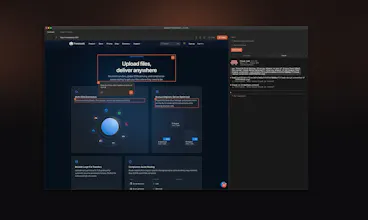
Design In The Browser lets you point at any element on your website and tell AI what to change. Click a button, a heading, or select text — describe your edit in plain language, and it sends the instruction (with a screenshot) directly to Claude Code, Cursor, or Gemini CLI running in the built-in terminal. No more copying selectors or describing layouts in chat. You see it, you change it, and AI does it. Supports multi-edit queuing, responsive viewports, and your preferred code editor.




Hey @assentorp looks fun.
What browser is this based around? I am hitting a snag where I cant get to allow pop ups, so I cant login to my frontend because auth happens via Firebase so it needs to allow for a popup. This works fine across chrome & safari.
Just watched the demonstration video and it is quite intuitive to use.
Congrats on the launch of it!
I'm guessing its main for HTML/CSS, right?
While watching the video, I was imagining myself using this over Figma, to get Flutter codes being output.
I already do this with Claude, sharing images and instructions to get some UIs quickly prototyped.
Would be nice having a tool like yours for making this process faster.
Its a great product, I have been using it for a few weeks now, and now I can't work without it.
The feature of selecting componenent that I need to edit and directly feeding that to the AI in the terminal is great,
before this I had to take screenshots and paste into terminal multiple times to explain where I need what change, it was a tidious task, thanks to design in the browser thats past now.
As a front-end developer, I think this will be really useful for development!
@highlightyourproduct Cool, let me know what you think if you decide to try it!
CCgather
Oh..!
Congrats! 🎉
Less explaining = less tokens.
Love it.
@dhxyoon Thanks, glad you like it. If you have any feedback let me know.
This is awesome. Going to try out soon. I can resonate this pain.
@avinashdalvi_ Awesome, let me know what you think!