

DropTidy
Remove sensitive photo data, 100% client-side & zero uploads
114 followers
Remove sensitive photo data, 100% client-side & zero uploads
114 followers
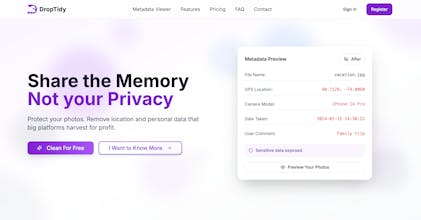
Do you know what data your photos reveal about you? 🤔 Every image you share contains hidden metadata exposing your exact location, daily schedule, and technical details that can fingerprint your device. Whether you’re a photographer or privacy-conscious, you need to be aware of this risk. DropTidy lets you delete this data in your browser. 🔒 Total Privacy: Everything happens inside your browser. 🕵️ Deep Analysis: Find hidden privacy risks. ✨ Lossless: Keeps original quality and resolution.






Product Hunt
Right now, my philosophy is safe by default, so the tool basically wipes everything to make sure nothing leaks out by accident.
Since the goal is total privacy, starting with a fresh copy felt like the best starting point for the launch. I definitely want to add more granular control later so creators can keep things like copyright info if they want to.
Thanks for the insight!
Which fields do you personally think are the most important to keep @curiouskitty? 👀
@curiouskitty @tomdra This is an interesting topic to discuss. I personally would like to keep the information on the location and the date of the photo to use it as a way of reminding.
@curiouskitty I started with a full wipe for maximum privacy, but I will definitely see if I can add a way to keep those specific details in a future update. Thanks for the idea @yuanyuan_zhang0104! 🙌
Congrats on the launch! Love the browser-only approach, keeping photos local while stripping metadata feels like the right default for privacy. How transparent is the cleanup process for users, can they see exactly which metadata fields were removed before exporting?
Great question, @vik_sh! I really didnt want it to be a black box.
You can actually use the free analyzer here to see every single hidden field before you do anything: https://droptidy.com/photo-metadata-viewer.
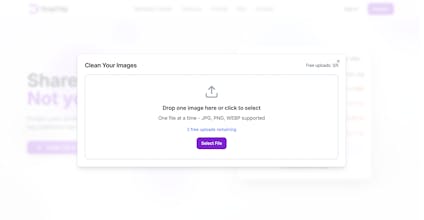
But to specifically answer your question you are able to see which groupped metadata where deleted from the image before you download the cleaned version. Just like in the image below:
The 'Zero Upload' approach is the only way I’d trust a tool with my personal photos. Knowing that the scrubbing happens 100% in the browser (client-side) is a huge selling point for privacy-conscious users. Does DropTidy support HEIC files from iPhones or RAW files from professional cameras, or is it primarily focused on JPEGs and PNGs? Supporting mobile-native formats would make this an everyday tool for me.
Thanks so much @yuanyuan_zhang0104! I completely agree. If its not 100% local, its hard to truly trust.
I actually already built in HEIC support since I knew it was a must-have for iPhone users from the beginning using heic2any since browsers dont support heic natively.
Professional RAW files are a bit more difficult to handle in the browser, but Im definitely looking into it next! Give it a try with some of your mobile photos and let me know how it goes! 😉
Thats a great question and I was actually hoping someone would ask this. This feature is coming to DropTidy very soon. As we know, 2026 is the year where almost all AI-generated images will be flagged on the internet as AI.
Right now the tool handles all the standard metadata but removing the embedded AI data would be the next step. I am currently working on it and would be bringing it to public very soon @kenyarmosh! 😉
Thanks, @kenyarmosh! Appreciate the support. I really think the AI-generated labels are going to catch a lot of people off guard soon, so I want to make sure DropTidy is ready for it. Just added you on LinkedIn and sent you a message there. 😄
I will probably stick to keeping it all in one place for now, but a standalone version is a great idea for later.
Do you think people would actually prefer a separate app just for that @kenyarmosh?🤔
28 hidden risks is a concrete number... GPS and camera model are obvious, but lens corrections and editing software versions can fingerprint devices too. Browser-only approach is the right call here. Curious if DropTidy handles HEIC or just standard JPEG/PNG.
Most people just think of deleting GPS, but they leave the device signatures (like those lens corrections) that actually fingerprint you across the web.
I went with the browser-only approach specifically so those fingerprints never even hit a server to begin with. Its definitely more work to build, but its the only way to be 100% sure.
And yes, it handles HEIC perfectly... I used heic2any to make sure iPhone photos work right out of the box. Let me know if you already tested it yourself @piroune_balachandran! 🙂
I have one further query regarding compatibility: do you plan to include .tiff files in a future update, alongside the RAW support you are currently investigating?
Thats a great point @sphnsx! I know .tiff is a staple for photographers and the publishing industry when it comes to high-quality raster graphics. Its definitely on my radar alongside RAW because its widely used for archival and high-end image manipulation.
Are you mainly using .tiffs for work or where else? I would love to know which specific metadata fields matter most for your workflow so I can prioritize them! 🤔