

Knowlify
Cursor for Animated Videos
373 followers
Cursor for Animated Videos
373 followers
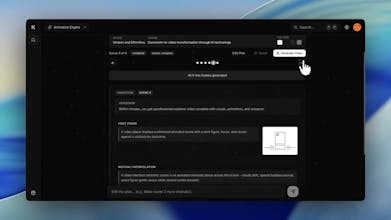
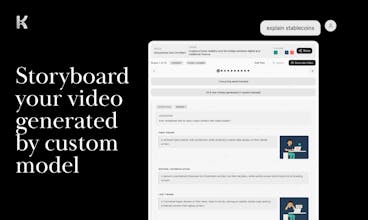
Knowlify is an AI video studio that turns docs into premium explainer videos. Built for teams that need consistent, high-impact explainers - faster than traditional production, more engaging than standard AI video tools.




jared.so
Is Knowlify better at specific video styles or does it adapt well to anything? I find most vertical AI tools are great in some scenarios and in others they suck, if there's a style where Knowlify really shines, worth mentioning!
Knowlify
@mcarmonas hey! animated videos for knowledge-sharing are our strong suit
Knowlify
@mcarmonas My personal favorites are some 3d and corporate video styles! However really any sort of animated style works well!
Knowlify
@mcarmonas @ritvik_varada1 ^ definitely agree with Ritvik, he 3D animations are super cool!
Also I’m wondering how you approach pricing given that video generation can be pretty compute-heavy. Do you charge based on usage, or do you bundle it into subscription tiers?
Knowlify
@meghna_vikram pricing is listed on https://create.knowlify.com/p/pricing!
we basically allow you to buy credits as you please or upgrade to one of our monthly subscriptions, which gives you a bunch of credits for a cheaper price!
Trufflow
Truly the curse of society's shortening attention span. This feels like a really great idea to deploy for onboarding or explaining complex ideas. Given that AI has limitations when it comes to how much context can be retained, is there a maximize "size" that a PDF should be limited to when it comes to creating these explainer videos?
Knowlify
@lienchueh Thank you and really appreciate the insight! For PDFs, the current maximum size is 50MB or 50 pages for a video!
Banyan AI Lite
ok so basically AI creates animations and voiceover and puts them on top of each other? What tech do you use for voiceover?
Knowlify
@davitausberlin Yep! The abstraction layer we've built on top of AI Video Tools is what makes us unique. 11labs is used for the voiceover.
Love the Kurzgesagt-style approach - that animation style has proven to be one of the highest-retention formats on YouTube, so applying it to B2B content is a smart move. The distinction between "glorified slideshows" and actual animated storytelling is important. Most AI video tools optimize for speed but sacrifice the narrative structure that actually keeps viewers watching. The fact that your AI planner front-loads tension rather than starting with background info shows you understand content psychology, not just video production. Really interested to see how this handles technical documentation with complex diagrams.
Hi folks, congrats on the launch!
Your tool looks like it could fit nicely into my workflow. I regularly work with quarterly +100 pages data reports.
Does your system support analyzing documents of that size?
Knowlify
@mike_sykulski
hey mike! we'll make sure it works with those types of reports.
how about we hop on a call and figure out how we can help?
feel free to book here: https://meetings-na2.hubspot.com/knowlify
The product works well, but it’s extremely pricey. My 30-second video used 1,200 credits, and generating a 5-minute YouTube video will cost $150. That’s not reasonable at this rate.
Knowlify
@alsafa_alizada Thanks for the honest feedback. That is completely fair, and we are actively improving pricing as we scale.
Our main focus right now is not just the cost of a single output, but the impact on production time and throughput. For many teams, the value comes from being able to cut video production time by up to 90%, go from idea to output much faster, and create significantly more content without the traditional workflow bottlenecks.
That is the lens we are optimizing around today: time saved, speed to publish, and overall output. As the product scales and infrastructure improves, we expect pricing to come down further over time.
Really appreciate you calling this out. Feedback like this helps us sharpen both the product and the pricing.