
Launched this week

MuleRun
Raise an AI that actually learns how you work
974 followers
Raise an AI that actually learns how you work
974 followers
MuleRun is the world's first self-evolving personal AI — it learns your work habits, decision patterns, and preferences, then keeps getting sharper over time. It runs 24/7 on your dedicated cloud VM, works while you're offline, and proactively prepares what you need before you ask.No coding. No setup. Just raise your AI and watch it evolve.


Product Hunt
Tate-A-Tate
Unlike other chatbots, this one doesn’t quit when I close the app.
MuleRun
@eeeeeach Yes! Our computer feature remains active and online continuously once it's turned on.
MuleRun
@eeeeeach Exactly — and that's one of the most fundamental differences between MuleRun and a traditional chatbot. Most AI tools are essentially reactive: you open them, ask something, get an answer, and everything stops the moment you close the tab.
MuleRun is built on a different premise entirely. Every user gets a dedicated cloud virtual machine running 24/7. Your agent lives there — not in your browser. The browser is just the entry point. So whether you're sleeping, in meetings, or simply offline, your agent keeps executing: running scheduled tasks, monitoring data, deploying services, generating reports, and proactively preparing what you'll need when you're back.
It's the difference between a chatbot and a digital employee who actually keeps working after you leave the office. See it in action here.
MockRabit
Congratulations @sylvunny ! It's looking promising. I would like to learn what inspired you to launch this?
MuleRun
@ishwarjha Thanks a lot! Our team has always aimed to build a truly user-centric AI agent, and "always on" is a key benchmark for us.
MockRabit
@sylvunny I am going to use it over the next few days and return back with solid feedback about its usefulness and relevance in my use case.
MuleRun
@ishwarjha Thank you so much — really means a lot on launch day!
The core inspiration was a simple but persistent frustration: AI tools were getting incredibly powerful, yet they still behaved like vending machines — you put in a query, you get an output, and the moment you walk away, everything resets. There was no continuity, no memory, no initiative.
We kept asking: what would it look like if AI actually worked the way a great human colleague does? Someone who remembers your preferences, learns your working style over time, keeps making progress even when you're not in the room, and occasionally comes to you with something you didn't think to ask for — but needed.
That vision is what became MuleRun. Not a smarter chatbot, but a self-evolving personal AI that runs 24/7 on its own dedicated environment, grows with you, and proactively works on your behalf. We wanted to give everyone — not just developers or technical teams — access to that kind of leverage.
The goal has always been to return the power of AI creation and evolution to every individual person, regardless of their technical background. We're just getting started, and the community's early creativity has already exceeded our expectations!
The 'learns how you work' angle is what caught my attention — I've spent years building automation tools and the hardest part is always making them context-aware without manual setup. How does it handle domain-specific workflows that combine different tool stacks? Curious whether it can track patterns across Claude Code sessions and terminal commands, which is where most of my work happens.
MuleRun
@slavaakulov Hey, appreciate the thoughtful question — this is exactly the problem we built MuleRun to solve.
On context-awareness: MuleRun continuously learns your decision logic, work habits, and tool preferences across all interactions. There's no manual setup or config files — it builds your personalized profile through natural conversation and observation. Over time, it starts proactively predicting what you need and pre-loading the right tools before you even ask. We call this going from "wait for your command" to "already thinking ahead for you."
On domain-specific workflows: each user gets a dedicated 24/7 cloud VM with its own file system, pre-installed software, and hardware-level config. So it's not just a chat window — it's a persistent working environment where your agent can deploy services, run cron jobs, and handle long-running tasks autonomously, even when your browser is closed. This makes it particularly natural for combining different tool stacks within a single continuous workspace.
On the collective intelligence side — when users solve problems effectively, those solutions can flow into our Knowledge Network. The more people use it, the smarter everyone's agent gets for similar scenarios. Think of it as battle-tested workflows shared across the community.
For your specific developer workflow, I'd recommend trying our "Coding & Building" mode — it's designed for hosting and running services 24/7 on your dedicated VM. Would love to hear how it fits into your stack. Feel free to jump in and give it a spin.
MuleRun
@slavaakulov This is exactly the kind of use case we get most excited about — and your framing is spot on. Context-awareness without manual setup is the hard problem, and it's precisely what MuleRun's architecture is designed to address.
Here's how it handles complex, multi-tool workflows: every MuleRun user gets a dedicated cloud virtual machine with its own persistent file system, pre-installable native software, and configurable environment. This isn't a sandboxed chat interface — it's a real compute environment where your agent operates continuously. That means it can run terminal commands, manage files, execute scripts, and interact with your tool stack as a native process, not through fragile API wrappers.
On the pattern-learning side, MuleRun tracks not just what you ask for, but how you work — the sequence of operations, the tools you reach for in specific contexts, the outputs you accept versus revise. Over time, it builds a working model of your decision logic, so it can begin anticipating the next step in a workflow rather than waiting for instruction.
For a developer workflow spanning terminal sessions and coding environments, the practical implication is that your agent can observe recurring patterns — say, a sequence of build, test, and deploy commands you run in a particular order — and start preparing or executing those proactively. The 24/7 runtime also means long-running processes don't get interrupted when you step away.
That said, deep integration with specific tools like Claude Code is an evolving area and I'd rather be honest than overpromise. The best way to pressure-test it against your specific stack is to get hands-on — we'd genuinely value the feedback from someone with your background. Happy to get you set up if you want to dig in. You can explore the technical architecture further here.
Autocoder.cc
I get automatic updates when my tasks finish, so helpful.
MuleRun
@saintcedricfan Exactly, we finally made it.
MuleRun
@saintcedricfan That's the Heartbeat feature doing its job! No more checking in to see if something's done — your Mule comes to you. Glad it's making a difference in your workflow!
Congrats launch! 🎉 Curious how the self-evolving part works in practice.
MuleRun
@thea5 Thank you! MuleRun learns your work habits over time and starts proactively preparing what you need before you ask.
MuleRun
@thea5 Thank you! Great question to dig into.
In practice, self-evolution in MuleRun works on two levels.
At the individual level, your agent continuously learns from how you actually work — not just what you tell it, but what you do. It retains your preferences, decision patterns, communication style, and domain knowledge across every session. The longer you use it, the less you need to explain yourself, and the more it anticipates what you need before you ask. It's less about configuring settings and more about the agent building a genuine working model of you over time.
At the collective level, MuleRun has a shared Knowledge Network. When users choose to share a workflow or agent they've built, it enters a community pool. Agents that get validated and adopted by multiple users in similar scenarios rise in weight, and MuleRun automatically surfaces those high-performing patterns to others facing the same kind of task. So your agent benefits not just from your own experience, but from the collective intelligence of the entire user base — opt-in, always.
The practical result is a flywheel: the more you use it, the better it gets at your specific work. And the more the community uses it, the stronger the shared foundation everyone builds on. You can explore some of the workflows the community has already built here.
MuleRun
Hey everyone 👋 I'm the Head of Marketing @MuleRun
We built MuleRun so AI handles the work, and you get your time back — for the things that actually matter to you.
MuleRun is a personal AI that works for you — from building your own trading assistant to powering complex team workflows like short drama production, game production and e-commerce operations.
What makes it different:
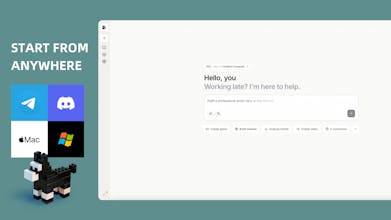
Start from anywhere — works on your phone and desktop, no setup needed. Open mulerun.com, just chat.
Personal AI computer — with long-term memory, running 24/7. It remembers your context and keeps working even when you sleep.
Self evolving — it anticipates next steps and takes action proactively. The more you use, the smarter it will be.
Knowledge network — a growing ecosystem of reusable workflows and capabilities.
Safe— we proactively defend against cyber threats and restrict AI permissions by design. Your data stays yours.
We're early and building fast. Would love for you to try it, break it, and tell us what's missing. Every piece of feedback matters at this stage.
@ines_defirenza The self-evolving angle is interesting. How does it handle situations where a user's habits change significantly, like switching jobs or starting a new project type? Does it adapt forward or does old context start working against you?
MuleRun
@olia_nemirovski Really sharp question — this is one of the more nuanced challenges in building a truly personal AI, and something we've thought carefully about.
The short answer is: old context should never work against you, and the system is designed to adapt forward.
MuleRun's memory isn't a static snapshot that accumulates indefinitely without discrimination. When your behavior shifts significantly — new task types, different communication patterns, a new domain of work — the agent picks up on those signals through your actual usage. New patterns, consistently reinforced, progressively carry more weight than older ones that are no longer being activated.
Beyond passive adaptation, users also have direct control. You can explicitly update your agent's context — telling it you've changed roles, started a new project, or want it to deprioritize certain learned behaviors. MuleRun also supports different scene modes tailored to specific use cases, such as investment, marketing, coding, or research, so switching contexts can be as deliberate as selecting the mode that fits your current work. These settings persist and can be updated at any time without losing what's still relevant.
The goal is for accumulated context to feel like an asset you can curate, not a constraint you're locked into. A great human colleague who's worked with you for years doesn't forget everything when you change jobs — but they do update their understanding of what you need now. That's the behavior we're aiming for.
It's an area we're actively continuing to refine, and honest feedback from users navigating real transitions is genuinely valuable to us. Would love to hear how it holds up for you in practice.
@ines_defirenza That context curation angle resonates. I've been juggling a few different projects at once and the biggest friction isn't the AI forgetting things, it's carrying over assumptions from one context into another where they don't apply. If MuleRun handles that well in practice, that's a real differentiator.
MuleRun
@chris_payne_emba Thank you — and this is one of the most thoughtful questions we've received, so it deserves a real answer.
On how MuleRun decides what to act on proactively versus what to wait for: the distinction comes down to confidence and consequence. For tasks that are highly routine, clearly recurring, and low-risk to get wrong — think scheduled reports, daily briefings, monitoring tasks — MuleRun will execute proactively once the pattern is established, because the cost of acting without asking is low and the value is high. For tasks that are more consequential, context-dependent, or where the agent's confidence in the right approach is lower, it surfaces a recommendation and waits for your confirmation before proceeding. The goal is to be genuinely useful without being presumptuous.
This is also why the 24/7 dedicated VM matters beyond just uptime. It gives the agent a persistent environment to observe real behavioral patterns over time — not just the explicit instructions you give, but the sequence of how you work, what you revisit, what you delegate, and what you handle yourself. That behavioral signal is what allows the proactive layer to be calibrated rather than arbitrary.
On how personas evolve over weeks: what users typically describe is a gradual shift in the nature of their interaction. Early on, it feels more like a capable assistant you're directing. Over time, as it accumulates your domain knowledge, decision logic, and communication preferences, it starts to feel more like a collaborator that's already done the groundwork before you arrive. Some users find it begins anticipating entire workflows — not just individual tasks — based on patterns it has internalized.
The honest answer is that the evolution looks different for everyone, because it's shaped by how each person actually works. That's by design. We'd genuinely love to hear what your experience looks like after a few weeks if you give it a try.
MuleRun
Here's what that looks like in practice. A 3-person Etsy team doing $10M GMV is using MuleRun as their 24/7 e-commerce operator — automatically listing products, screening for IP infringement, researching trending items, and generating product images in bulk, all without adding headcount. A trader with no engineering background built a personal investment assistant that monitors markets around the clock, executes based on his strategy, and proactively initiates post-trade reviews. A content creator is running a full short drama production pipeline — her Mule keeps writing and pushing the story forward even when her laptop is closed. And a first-time game developer with zero coding experience shipped a playable game just by describing what he wanted in plain language. Explore more real workflows here →
@ines_defirenza Really interesting approach! I’m curious as MuleRun scales and more workflows are added, how do you prioritize which tasks the AI should act on proactively versus wait for confirmation? I’d love to see how the balance evolves.
MuleRun
@bello_kanyinsola1
It proactively learns from your tasks and distills insights into private reusable knowledge and skills — you decide whether to accept them.
It recognizes your use cases and recommends relevant public knowledge and skills for you to install.
It remembers your information and task history, anticipates what you may need next, and asks before acting.