
Launched this week

Ollang DX
The AI Language Execution Layer for Enterprise
238 followers
The AI Language Execution Layer for Enterprise
238 followers
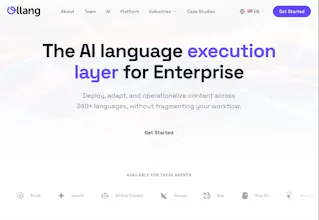
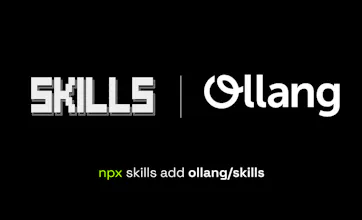
Ollang is the AI language execution layer for localization across web, apps, video, audio, and documents. Use MCP to let AI agents run workflows, SKILLS for reusable agent actions, the SDK to scan and apply translations, and the API to build end-to-end localization pipelines. One platform for multimodal localization and production-ready developer integration.



Localization is one of those things that gets shoved to the end of every sprint and done badly. The MCP + SKILLS approach for agent-driven workflows is interesting - what does a typical localization workflow look like when the agent runs it end-to-end? I'm curious how it handles context (strings that need different translations depending on UI placement) vs just raw key-value substitution.
Ollang DX
@mykola_kondratiuk Thank you for your support!
A typical MCP or Skills flow is not just key-value in, key-value out. The agent can ingest content, preserve structure, translate with context, run QC, rerun low-confidence segments, and push the result back into the target file or system.
For ambiguous portions, the system does its best to provide surrounding context like screen/component info, neighboring strings, comments, placeholders, content type, plus custom instructions, memory, and project-level guidelines, so it behaves more like product-aware localization, not blind substitution.
That makes sense - if you're preserving structure across the execution chain, you're essentially solving the context collapse problem that most MCP implementations ignore. The richness of the flow matters more than the transport layer.
Ollang DX
Hey Product Hunt! 👋
We've been quietly building something we believe the developer community has been missing: A proper localization layer for the agentic era
Why we built this:
Every AI agent, every app, every workflow is still English-first by default. Getting to 240+ languages means stitching together 5+ APIs, managing file conversions, handling dubbing, subtitles, and i18n files separately, all while keeping quality consistent. It's a mess 🤯.
🎁 What Ollang MCP Skills API & SDK does:
→ One API call to localize any file type — video, audio, DOCX, PDF, SRT, JSON etc.
→ Native MCP/SKILLS integration — Claude Code, Cursor, Cline, Codex and 15+ agents can localize files directly from their workflow
Begin like this now:
or like this:
What we'd love your feedback on:
- Which agent integrations matter most to you?
- What file types are critical for your localization workflow?
- Would you use this for a personal project, startup, or enterprise?
We're answering every question today. Drop your hardest localization challenge below, and we'd love to solve it with you.
Get started free → ollang.com
@mazula95 For devs building multilingual agents, how does Ollang handle context-aware localization like region-specific idioms or cultural nuances in JSON/i18n files?
Ollang DX
@swati_paliwal Thanks for the great question. Ollang uses project context, custom instructions, and terminology memory to help agents localize JSON/i18n content with the right regional tone, idioms, and cultural nuance. So instead of translating text in isolation, it helps adapt each string based on the product, audience, and market.
Localization is one of those things that always gets pushed to "later" and then becomes a nightmare when you finally need it. How does it handle context-dependent translations? Like in our app, the word "network" means something very specific - does it learn domain-specific terminology or do you need to manually define a glossary?
Ollang DX
@ben_gend Thank you, Ben, for the thoughtful question.
If a word like “network” has a very specific meaning in your app, we do not want the system to treat it like a generic standalone word and translate it blindly. We try to give it more context where it appears, what screen or flow it belongs to, nearby strings, comments, and any project-level instructions.
And for terminology, you are not limited to just one approach. If you already know a term should always be translated a certain way, you can define that through glossary-style rules, custom instructions, or project guidelines. But if the meaning changes depending on the UI or feature, the agents can use context and memory to make a better choice instead of forcing the same translation everywhere.
So, both: you can lock things down where consistency matters, and let the system stay flexible where context matters more. That balance is a big part of why we built it.
Love this! feels like something that should’ve existed already.
Curious about one thing: how do you handle quality consistency across very different modalities (e.g., subtitles vs. dubbed audio vs. structured JSON)? Is there a shared evaluation/QC layer, or does it vary per file type?
Ollang DX
@selcukkeser Thank you Selcuk!
Yes, there is a shared QC layer, but it is not one-size-fits-all. We use a common evaluation mindset across all modalities, then apply modality-specific intelligent validators on top of it. So the agents check core things like meaning preservation, terminology, consistency, structure, and instruction adherence everywhere, while also handling file-specific rules like subtitle timing and length, dubbing sync and speech naturalness, or JSON/schema integrity.
That balance is what helps us keep quality consistent across very different outputs without treating them as if they are all the same.
Features.Vote
the "english-first by default" framing is spot on. every ai workflow i've seen just assumes english and offloads the rest to a separate team or pipeline.
curious how the SKILLS layer works in practice across different agents, is it framework-agnostic or does each one need its own wrapper?
Ollang DX
@gabrielpineda Thank you for the thoughtful comment :)
Yes, the SKILLS layer is designed to be framework-agnostic. Once connected to an agent like Cursor, Claude Code, Devin, Replit, or Lovable, the agent can use Ollang capabilities on the fly. It can understand your tech stack and workflow context, then trigger the right multimodal localization actions accordingly.
So proud of you for shipping this! 🎉 Honestly, it is such a clever move. To answer your questions: Cursor and Claude Code are definitely the most critical agent integrations for my workflow right now. As for file types, handling JSON for i18n directly within the workflow without breaking the structure is a lifesaver. Congratulations! 🚀
Ollang DX
@bsurmen Thank you so much 🙏
Cursor and Claude Code are two of the most important agents to support well from day one. And not just JSON, but many file types and media formats need the structure to stay intact while the localization remains context-aware.
Thanks again 💜
Ollang DX
Hey Product Hunt 👋
AI agents are everywhere, but localization is still fragmented, manual, and painfully multi-step.
We built Ollang MCP, Skills, and SDK to fix that.
→ One API to localize any file type
→ Works directly inside your agent workflows
→ Built for real-world complexity (video, audio, docs, i18n — all in one flow)
Curious, what’s the most painful part of localization in your current stack?