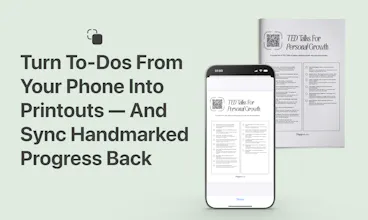
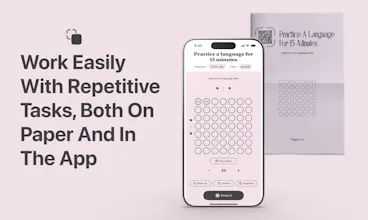
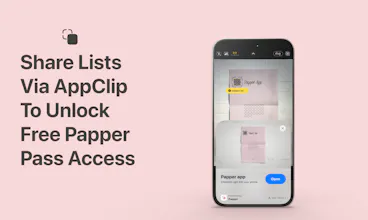
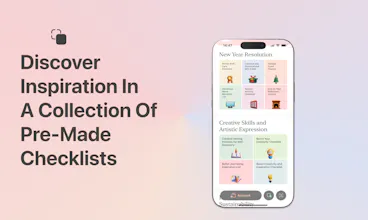
Sync your to-dos, handwritten or digital, using the magic of AI. Experience the best of both worlds, without a single task lost in between. Write to-dos by hand and upload to the app, or print digital tasks and sync handmarks back.
I'm thrilled to launch Papper, the innovative app that merges the tactile satisfaction of handwritten notes with the efficiency of digital to-do lists.
The holiday season can be overwhelming with its flurry of activities. As a team who loves the tangible feel of paper but also appreciates digital efficiency, we created Papper to take the best from both worlds.
What Makes Papper Unique?
📝 AI for Your Holiday Lists: Our neural network loves the holidays as much as you do! It transforms your handwritten Advent plans and New Year reflections into neat digital lists.
🖨️ Print, Mark, Celebrate: Got a busy holiday schedule? Print your tasks, tick them off in the joy of the moment, and sync back to relish in your accomplishments.
🧘♀️ One Task at a Time: Overwhelmed by holiday planning? Our app breaks it down into single tasks – focus on baking those cookies, and we’ll remind you about the gift wrapping later.
🎁 Holiday-Themed Design: We've sprinkled a bit of paper magic into Papper’s design, making your task management feel like part of the celebration.
Papper is perfect for students who love doodling their to-dos, professionals looking to streamline their task lists, and anyone in between. It's about empowering your paper lists with digital convenience.
Join us in celebrating the fusion of paper and digital this holiday season. Whether you're planning parties, shopping for gifts, or reflecting on the year, let Papper make it a seamless and joyful experience.
Love this! I flip between paper and screen when making notes so this feels like a great way to combine the two without having the duplicate the work. Would you consider some kind of plugin to work with notion later down the line?
Thanks and congrats on the launch! 🚀
@carolmoh Thanks for the enthusiasm! Right now, Papper syncs with Apple Reminders, but expanding to other platforms like Notion is definitely on our radar, especially with user requests. Stay tuned!
@shipaleks great! Look forward to seeing how you guys grow and make life easier for us paper note lovers 🙌
Report
I used such tools during COVID for scanning my hand written solutions and sharing with my students. Massive time savers! However, ages ago, I stopped writing my to-dos on paper. I am using google keep all the time and it is synced at so many places. Are people still using paper based to-dos? Congratulations on the launch!
Thanks a bunch for the congrats!
You’re spot on about digital tools like Google Keep being super convenient. But you know, a lot of people still love jotting down their to-dos on paper. It helps them focus better, cuts down phone distractions, and really helps with remembering the crucial stuff. Old-school, but it works!
Wow, this is so insane. I know there are already OCRs available on the phone but pushing them instantly on a To-do list seems like a lot of time-saving. I guess this can be your competitive advantage over other popular To-do apps! Great one!
@hosseinyazdi Thanks for the kind words! We start with Apple's OCR and then blend it with our own ML model for a unique, efficient approach to transforming notes into to-dos.
Hey @shipaleks ! As a person who regularly uses diary to maintains his to-dos I feel eventually this can lead up to be a perfect sync for digitising my everyday management! Loved the UI but if you could give more Login options, especially for iOS where it is just Login w Apple, would be great.
Noticed a slight issue that post doing one AI scan of diary notes, if I want to do it again, the iOS app crashes and then I have to reopen and do it
The output seemed pretty decent if the handwriting was good enough😅. Congrats on the launch anyways!
@rohan_singhvi1 Hey there, really appreciate your feedback!
First off, the crash issue you mentioned is super serious for us. We're jumping on it right away to sort it out. Thanks for flagging that — it's massively helpful.
Glad to hear you liked the UI! Regarding the login options, we initially thought about including Google sign-in but decided to keep it simpler while we're iOS-only. As we grow and potentially expand to other platforms, we aim to move towards a passwordless FIDO standard for a more seamless experience.
Cheers for helping us make Papper even better!
Hey, that's an awesome idea! Really digging the way Papper combines the tactile feeling of handwriting with the convenience of digital tools. Maybe consider an option for color-coding handwritten notes for even better organization? Just curious - how does the AI cope with different handwriting styles? Congrats on the launch!
@daxeelsoni Thank you! Oh, we have an update planned that will use colors like hashtags – it’s great to hear others are thinking along the same lines :)
Regarding different handwriting styles – it really depends on the language. For instance, in English, our model recognizes various handwritings better than I do myself :) The real challenge is when different languages are mixed within the same text, that's a real headache for our models!
Papper: Scan Handwritten Todos
Scade.pro
Papper: Scan Handwritten Todos
LOVO
Papper: Scan Handwritten Todos
LOVO
Papper: Scan Handwritten Todos
WebCurate.co
Papper: Scan Handwritten Todos
Dualite
Papper: Scan Handwritten Todos
Bento
Token Around
Papper: Scan Handwritten Todos