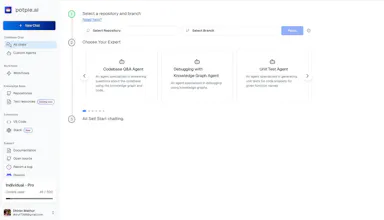
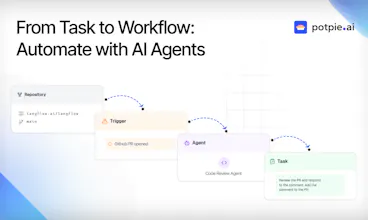
Build task-oriented custom agents for your codebase that perform engineering tasks with high precision powered by intelligence and context from your data. Build agents for use cases like system design, debugging, integration testing, onboarding etc.
@kartik_subodh Great question! A lot of customers, especially enterprises have been working with us on agents that maintain standardisation of their code (service level rules and formats) while generating context aware integration tests, low level designs etc Root cause analysis across large legacy codebases has also been a fairly requested use case where the knowledge graph can really shine!
Absolutely love the story behind Potpie—when a side project becomes the project, that’s usually when the magic happens. ✨
You’re spot on: so much of what makes an AI agent useful comes down to context and tooling, not just model quality. The fact that Potpie is open-source and focused on deep integration with the codebase makes it super exciting for dev teams who want control without reinventing the wheel.
Huge props for building something that’s not just hype-driven, but genuinely dev-first. Can’t wait to try it out and see how far the automation can go across the SDLC. Let’s gooo! 🚀🔥
@williamrobertscott Thanks for the kind words! I'd love to see what you build with potpie!
Report
This is such a powerful way to automate complex engineering tasks! Building custom agents that leverage your codebase’s context for tasks like debugging and testing could save so much time and reduce errors. Excited to see how this enhances developer workflows!





Custom agents are really interesting, what are some use cases customers have been requesting the most?
Potpie AI
@kartik_subodh Great question! A lot of customers, especially enterprises have been working with us on agents that maintain standardisation of their code (service level rules and formats) while generating context aware integration tests, low level designs etc Root cause analysis across large legacy codebases has also been a fairly requested use case where the knowledge graph can really shine!
Elisi : AI-powered Goal Management App
Absolutely love the story behind Potpie—when a side project becomes the project, that’s usually when the magic happens. ✨
You’re spot on: so much of what makes an AI agent useful comes down to context and tooling, not just model quality. The fact that Potpie is open-source and focused on deep integration with the codebase makes it super exciting for dev teams who want control without reinventing the wheel.
Huge props for building something that’s not just hype-driven, but genuinely dev-first. Can’t wait to try it out and see how far the automation can go across the SDLC. Let’s gooo! 🚀🔥
Potpie AI
@williamrobertscott Thanks for the kind words! I'd love to see what you build with potpie!
This is such a powerful way to automate complex engineering tasks! Building custom agents that leverage your codebase’s context for tasks like debugging and testing could save so much time and reduce errors. Excited to see how this enhances developer workflows!
KIVA (By Wellows)
Potpie AI
Appreciate your support Muhammad!
Merlin - ChatGPT powered chrome extension (Cmd+M)