Launched this week

Stenograf
Private AI meeting notes that run on your computer
151 followers
Private AI meeting notes that run on your computer
151 followers
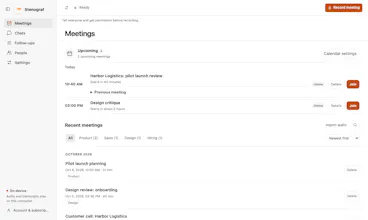
Stenograf records calls without a meeting bot, then transcribes, summarizes and searches them on your computer. Supported Mac and Windows. Ask questions across meetings and check the cited transcript passages. Your recordings and complete transcripts stay local.


Free Options
Launch Team

Dropbox SignSimple, secure eSignatures for the way your team works.
Promoted
@ivan_digital Congrats on the launch, Ivan! The “no bot joining the call” part is what sold me. Nothing kills the vibe of a client call faster than a random notetaker popping in. Quick question: how does it handle calls with multiple speakers talking over each other? Also love that answers come with cited passages, since I never fully trust AI summaries without checking the source.
@hira_maqsood Hey, thanks.:)
We are integrated with google meets api with chrome extension, and we can get names of active speaker. Also we have alfa test integration with Zoom and Teams. Others integrations are coming.
For multiplay speakers in a meeting room we have models to segment speakers and identification of most active speaker.
love the idea, it's annoying to hit API limits with existing tools. sometimes my agent does need to pull a lot of transcripts...
tech question: what are the system requirements to run the transcriber model? i.e. will my computer run ok during a call?
@oeken For transcription you don't need GPU, CPU is enough, so basically if you have something around 8 GB RAM it will work on MacBook Neo or windows. If you want summaries etc AI intelligence you would need GPU, on CPOU it will be pretty slow.
@adityarya_ai It is going to be transcribed in streaming mode during the call, so around several minutes of CPU compute it would take.
Congrats on the launch!! 🥳🥳🥳 Does Stenograf support speaker diarization? And can it be plugged into any meeting tool (e.g.: Jitsi / Big Blue Button as well)?
@gabriel_cio Thanks! Yes, Stenograf has on-device speaker diarization. It labels different voices in the transcript, and once you name a speaker, it can recognize them in future meetings.
Jitsi and BigBlueButton should both work from your browser. Just open the call and hit Listen in Stenograf. It captures your computer audio and mic directly, so there’s no plugin to install and no bot in the meeting.
Congratulations on the launch Ivan,
How are you guys handling transcription for regional languages? Cause that’s something notetakers still struggle with I believe.
@rishabh_pandram Thanks! We are using multilingual models, so support is pretty well. We tested Arabic Standard one, and also Saudi dialects. On dialects yes we have some quality reduction.
Looks cool, is private note takimg close with quality to it being done using state of art models?
@tytus_nawara Yes, it is based on Nemotron Streaming + Diarize.
Looks cool!
Where does the inference come from?
@jonathan_archer1 Thanks!
It uses our open source speech inference libraries stack https://github.com/soniqo/speech-swift