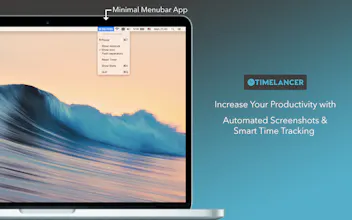
Timelancer is a simple time tracking app. It stays at the menubar and records how much time you spend on each app. It takes screenshots on every 10 minutes and saves it to your computer. You can see detailed information about how you spend your time on your browser by one click. Timelancer keeps all data recorded locally, does not upload any data.
Kudos for launching, one thing that worries me: the stats page at http://:8080 is available to all devices in my network, this is a security flaw in the app as you should only bind to 127.0.0.1 to serve requests. also 8080 is a pretty common network port, make sure you're able to find other available ports if that one is busy.
@bithavoc thanks for feedback. It should serve only to your own computer. I will add this to the next version. Port number is not fixed, it just try 8080 first and then try next 8081 if not available.
Please try it and give me feedback.
Promo codes:
YXMW4AHWRWE7
9PFYJTFTKFKT
J936K4FJAKET
PLTTP3T4YRT9
K9R3Y9FTH6P6
JPRF4H7F76XP
43KTPYM3N7LW
NYRTXRN3MEXP
6HN4TK69AAER
NNW7TF6KYTX6
Here is another set of promo codes:
R39NJHHN44WM
EFXA476EY6XY
XKFKNH4ERYFP
L3XF4PPJNEWF
X7RPFFPF6PKP
PJHJ9XNWJY6A
7JNJLPXA7NN6
NPKJLR3EEJPT
PAJRMXE3PKJN
LF7WYJNFAN3E
WAR9YYJKJEE4
3J3MFKYKJ6H4
6YEPLAW9PT7P
3NWWKYXJN6YR
HitCal
HitCal
Timelancer
Timelancer
HitCal
HitCal
I'll try it again once the stats page is secured
Pros:it seems to work as advertised
Cons:it's taking screenshots and making them available to the entire network via insecure stats page at port 8080
Paste A Date
Timelancer
Timelancer