And here's the official Chrome extension, fresh from the oven:
https://chrome.google.com/websto...
It does exactly what you think it does:
1. Easy access to Tweetshot with a special button on twitter.com, right next to the standard Tweet button.
2. Tweetshot any Tab by clicking on the Tweetshot extension button (top right-hand side of your browser).
3. Tweetshot any image you found on the web by right-clicking on it and select "Tweet this image".
I've pushed the code on Github for those interested:
https://github.com/tweetshot/twe...
PS: For non-Chrome users, a bookmarklet is on its way.
@mm The screenshot taking service I'm relaying on (url2png.com) compresses the screenshot it takes. I am super picky on quality as well so I'm probably going to roll out my own pretty soon.
Note that Tweetshot does not apply any kind of compression on images so this only affect flat-color screenshots.
I would change the name from tweetshot to twitshot to save yourself the legal battle with Twitter. We trademarked Tweet before they did and to make a long story short they now own the trademark and will defend it.
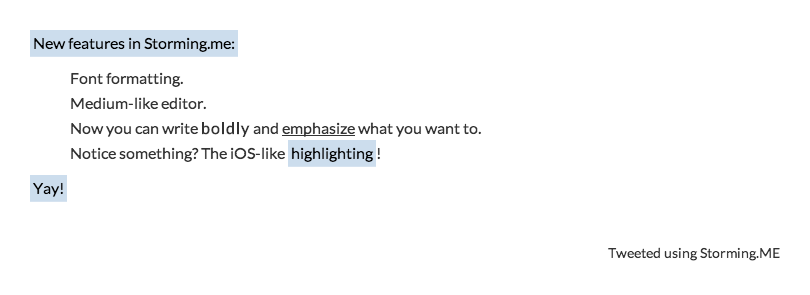
I made storming.me that does the same thing, but comes with more features:
- Change font
- A Medium-like WYSIWYG editor
- Text highlighting (IOS-like)
- Getting imgur link instead of posting the tweet
- Background colors (Secret-like)
Here's a sample tweet:
Check that out too.
@karangoel This seems to be designed for image based tweet storms, whereas Tweetshot extracts images from an article for you, not sure how it's the same thing.
@ghobs91 Ah. The page itself is sparse and it looked like it was the same thing. Read the discussion above and made sense.
But still, checkout storming.me. :)
Report
Wait, what am I missing here? How is this different to just embedding your own picture in a tweet?
@ZacDavies Hi, founder here! I've seen many (many) Twitter users extracting images from website/articles manually, saving it on their computer, then uploading them as photo on Twitter. It is a painful process, and nearly impossible on mobile.
Tweetshot tries to solve this pain point, you just need to type your tweet with your links and we will extract images and screenshots automatically for you.
Second pain point is the way Twitter "auto-crops" the photo you upload. Advanced users or blogs use Photoshop filters to get an image to fit perfectly, Tweetshot makes this a 5-second process.
PS: Thx @kwdinc for the post!
This is pretty awesome, we've been doing a lot of custom images for our blog posts. Most are hidden and just cater to og:image so its nice to have something that simplifies this.
I could see a custom image creator being a paid part of this product
Beautiful Earth
Beautiful Earth
Emoji Kitty
Beautiful Earth
Listen
Denarri
Listen
thirdweb
Beautiful Earth
Riot
Beautiful Earth
thirdweb
Seen It
MightyScout