
Launching today

VoiceOS
Say it and it's done. Work 10x faster with your voice.
307 followers
Say it and it's done. Work 10x faster with your voice.
307 followers
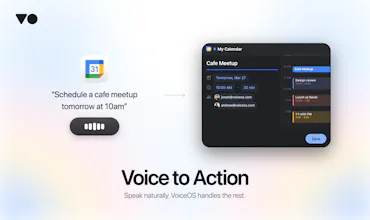
VoiceOS is the universal voice → action for your computer. Eliminates app-hopping, maximizes focus and productivity. Speak naturally, and VoiceOS instantly executes workflows while keeping you in control with a quick confirmation step. Works system-wide on Mac and Windows.



Product Hunt
I've been using VoiceOS for about a month+ now and it's INSANE. I've been able to navigate different apps, talk to my LLMs and go through my workflow a lot faster than before. It's like giving @Aqua Voice apps and tools. I've even been able to use it to talk/send messages to @Poke.com.
I was lucky to speak with the founders and their vision is definitely promising. I'm looking forward to seeing how voice can become the main interface of my computer.
For those looking to try, there are some kinks, but the team is super responsive in their Discord and patch out any bugs super fast.
Congrats @jonahdaian and @kai_brokering on the launch! PS - more integrations please!!!!
VoiceOS
@gabe Thank you for the support! We've been working around the clock, so we really appreciate you noticing the quick bug patches. We're also rapidly expanding our integrations, so stay tuned for more very soon!
VoiceOS
Hey Product Hunt,
I’m Jonah, co‑founder of VoiceOS.
We started building VoiceOS around one frustration: the gap between deciding to do something and actually getting it done on your computer.
You think: “Reply to that Slack message.” That’s half a second.
Then you cmd‑tab, find the channel, scroll to the right thread, type, re-read for tone, hit send. It’s 30–60 seconds of mechanical overhead for a half‑second intention.
VoiceOS closes that gap.
Huge shoutout to our Japanese community! We’ve invested in native Japanese localization across the UI and writing behavior because you’ve been incredibly supportive from day one.
VoiceOS includes a free 14‑day Pro trial. No credit card required.
What integrations should we build next?
@jonahdaian As someone deep in content workflows (LinkedIn, Notion, email drafting), Notion integration for voice-dictated pages/blocks would be a game-changer for quick brainstorming. What do you think about prioritizing that?
VoiceOS
@swati_paliwal Totally agree! That's why we already Notion :)
Scade.pro
@jonahdaian I like the idea, and the video does a great job of showing how it can be used (it’s very practical).
Good luck, guys!
Super cool, will definitely try!! But how have you balanced speed and accuracy, especially when a wrong action (like sending a message) has higher stakes than wrong text?
VoiceOS
@lak7 You are right, balancing speed and accuracy is critical.
We spent a lot of time perfecting our testing infrastructure to mitigate this problem. Nonetheless, the issue is that the real world is a lot more complicated. This is why we built confirmation UI for each action so you always stay in control even at high takes.
This is really cool, I loved the intro ad, a lot of effort went in to this! Correct me if I'm wrong but this is like open claw with voice functionality right? just with no messy setup part and one more thing what extra features we get above open claw?
VoiceOS
@nayan_surya98 You nailed it! Although I would also add that we put a lot of effort into making custom confirmation UI for every integration we support
Looks cool! Can I also link this to Claude Code and use it for my coding tasks? Or does it need to have a separate integration for that?
VoiceOS
@syaman We are currently working on the integration for Claude Code to manage multiple sessions at once (meaning no more tab switching) and I can't wait to release it!
@jonahdaian I am sure you will do the best, congrats on launch day & a great product!
Clipboard Canvas v2.0
Love the mission of cutting down on mechanical overhead, but how are you ensuring VoiceOS handles nuanced commands in dynamic conversations, like coordinating on Discord or Slack?
VoiceOS
@trydoff You are totally right, we spent a lot of time building testing frameworks to fix this exact problem.
Nonetheless, the issue is that the real world is a lot more complicated.
This is why we built confirmation UI for each action so you always stay in control.
Cool launch. One thing I keep bumping into in the voice space — there's a real split between voice→action (do this thing) and voice→data (fill in 15 fields). For actions the confirmation step makes total sense. But for structured input like CRMs or intake forms, confirming every field kind of brings back the friction. Are you guys thinking about that side of things or staying focused on workflow automation?
@webappski Right now we’re mainly focused on quick voice → action flows where speed matters most. But you can also set up custom map integrations to handle more structured stuff, so it’s pretty flexible depending on what you’re trying to do.
Also, you can turn off the confirmation step in settings if you want a more seamless input flow