

Vozo AI — Video localization
Translate every layer: voice, subtitles & on-screen text
4.5•13 reviews•3.1K followers
Translate every layer: voice, subtitles & on-screen text
4.5•13 reviews•3.1K followers
Vozo AI delivers complete video translation — across voice, subtitles, lip-sync, and on-screen text.
Unlike traditional dubbing tools, Vozo translates every layer while keeping speech natural, lips perfectly synced, and visuals consistent. Turn one video into multilingual versions that look and feel native.
This is the 3rd launch from Vozo AI — Video localization. View more
Visual Translate by Vozo
Launched this week
Fully translated videos — finally.
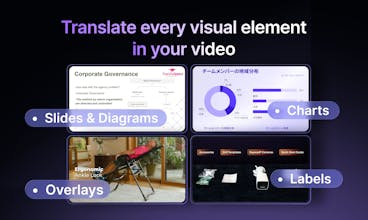
Visual Translate adds the final layer — translating text inside videos — on top of voice dubbing, lip-sync, and subtitles. It detects and translates on-screen text, from slides and diagrams to callouts and labels, while preserving the original layout, style, and animation. Turn slide videos and explainers into multilingual versions and reach a global audience — without recreating visuals from scratch.





Free Options
Launch Team / Built With


Gro
Can Vozo translate screenshots embedded inside videos?
Vozo AI — Video localization
@lily_liu8 Vozo can detect and translate explanatory text that appears inside videos.
However, we usually don’t automatically translate screenshots or UI elements embedded in the video. In many cases those are meant to stay exactly as they are.
If you do want them translated, you can manually select the text area in the editor and click “Regenerate” to translate it. Our editor is designed to be flexible, so you can easily adjust and translate elements that weren’t processed automatically.
Vozo AI — Video localization
@lily_liu8 Hi Lily, thanks for your question. as @josie_oy replied, we currently dont support automatically translate screenshot, but you can select to add. Here is a how-to video, hope it helps :)
Vozo AI — Video localization
@lily_liu8 Great question! Our model tries to infer whether text should be translated based on the context. For example, logos or text that belongs to real-world objects are usually left unchanged.
Screenshots can vary, so it may depend on the specific case. But you can always manually tell Vozo which areas you want or don’t want translated in the editor.
Congratulations with a launch! Really interesting product. Translating voice, subtitles, lip-sync, and on-screen text together solves a huge pain point in video localization.
What kind of videos does Vozo work best with today: talking head content, tutorials, or more complex edits?
Vozo AI — Video localization
@victoria_samoilenko1 Thanks for the thoughtful question!
Right now Vozo works especially well with slide-based videos, tutorials, and explainer videos, where a lot of key information appears directly on the screen as text.
These videos often include slides, diagrams, labels, or callouts that help explain the content. Visual Translate is designed to detect and translate that on-screen text while keeping the original layout and visuals intact.
Talking-head videos also work well, especially when combined with our dubbing, subtitles, and lip-sync features.
Elser AI
Congrats! How does Vozo fit into a typical YouTube localization workflow?
Vozo AI — Video localization
@sarahjiang Thanks for asking!
In a typical YouTube localization workflow, you can start by pasting the YouTube link directly into Vozo to import the video.
Then the process usually goes in two steps:
Import the video into Visual Translate to translate the on-screen text inside the video.
Import it into Translate & Dub to translate and generate the spoken audio.
This way you can localize both the visual text layer and the voice layer, and produce a fully localized version of the video.
Vozo AI — Video localization
@sarahjiang Thanks!
For YouTube localization, since there haven’t been tools to translate on-screen text, creators typically just dub the audio into other languages and upload it as additional audio tracks.
For videos where the visuals also need translation, teams usually have to recreate the entire video in the new language, which can be time-consuming and expensive.
With the new Visual Translation feature, creators can localize both audio and on-screen text, making it much easier to launch separate YouTube channels for different languages at a much lower cost.
Some manual review is still needed today, but we’re continuing to improve the system to make the process even easier in the future.
Vozo AI — Video localization
@sarahjiangGreat question! We actually have quite a few YouTuber users already. You can paste a YouTube link to import the video, then localize it in Vozo, and finally export video, audio, or SRT files that are fully compatible with YouTube’s localization workflow.
I support 5 languages on tubespark.ai, and the hardest part is always the video content side. Translating UI is one thing. Translating video text without disrupting the visuals is a completely different problem. How does it handle text that overlaps with moving backgrounds? That's where I've seen most tools break down.
Vozo AI — Video localization
@aitubespark I can see that you’re an experienced multilingual video creator, and you’re absolutely right — the challenging part is how to translate the video without disrupting the visuals.
We generally think about this problem in two parts. The first is fully understanding the video content, and the second is correctly generating the translated output.
We’re confident that our system performs well in the first part, especially when it comes to detecting and understanding the text layer in the video. For the second part, you may still see some artifacts in cases with complex or moving backgrounds. However, once the translated text is placed, the overall result usually becomes much cleaner.
Our goal is to make translation blend naturally with the visuals without disrupting them, and it’s something we’re continuously improving.
Feel free to give it a try and see how it works for your videos. We’d love to hear your feedback.
Vozo AI — Video localization
@alamenigma Thanks! You’re exactly right — recreating videos just to translate slides or labels is a huge amount of work, and that’s one of the problems we’re trying to solve.
So far we’re seeing the most demand from training and e-learning videos, product demos, and tutorial-style educational content, where a lot of key information lives directly in the visuals rather than the narration.
Tried Vozo and was really impressed by the lip-sync accuracy—it’s a huge step up from generic tools! My main curiosity is around edge cases: How well does the model handle profile shots or moments of high emotion (like shouting or laughing) where mouth shapes are very dynamic? Curious how robust the "human-level" sync is in those tricky scenarios.
Vozo AI — Video localization
@wasil_abdal Great question. Vozo’s lip-sync actually models a fairly large region — from the face down to the neck — which helps capture a wider range of expressions and motion.
That said, very high-emotion moments (shouting, laughing, etc.) are still challenging and really push the boundary of current lip-sync tech. We’re continuing to improve those edge cases as the models evolve.
Timelaps
Hey team, congrats on the launch! Super polished product with a validated real world use case. Professional demo. Excited to try it out. Wondering if you offer an open API?
Vozo AI — Video localization
@harryzhangs Thanks a lot for the kind words — really appreciate it!
We’re currently in beta, so we haven’t opened up a public API yet. If we see strong enterprise demand, we may consider offering API access in the future.
That said, we believe the SaaS workflow works best for this kind of product. Video localization usually requires review and edits during the process. Our editor lets you visually compare the original and translated video side by side, and directly adjust the text, layout, and styling in context, which makes the workflow much more intuitive.
Vozo AI — Video localization
@harryzhangs Thanks! We’re currently in beta, and we’ll definitely consider offering an open API in the future, including possible support for AI agents to interact with it.