


HtmlDrag v2.0: AI creation now has File Mode, Thinking, and a redesigned Template Mode

Hey everyone — I just shipped HtmlDrag v2.0, and this is the biggest product update I’ve made so far.
This release is all about making AI HTML creation more practical.
Instead of treating AI like a one-shot generator, I rebuilt the experience around two clearer workflows:
File Mode
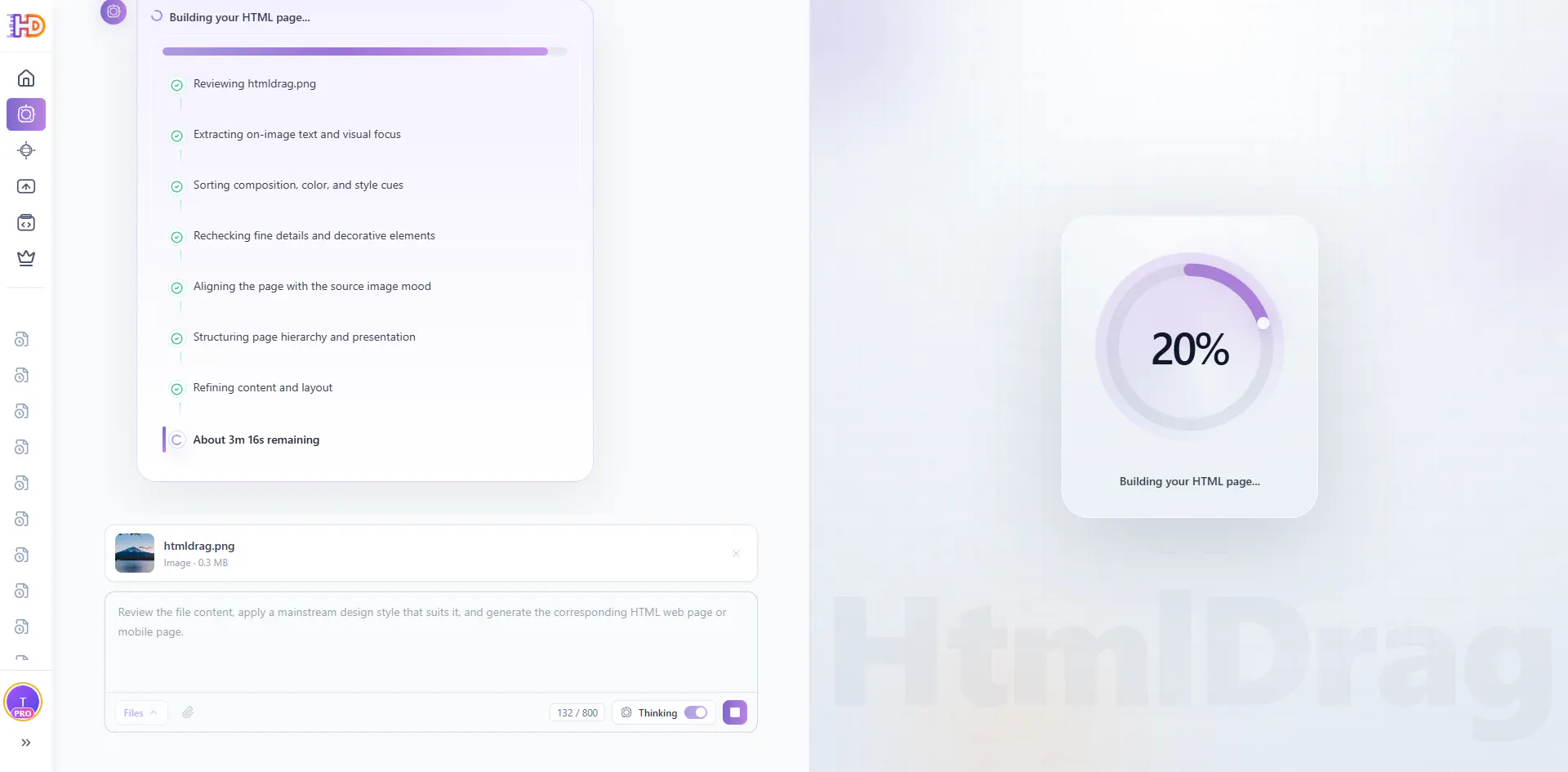
You can now upload source materials and turn them into editable HTML pages.
Supported formats right now:
JPG / JPEG / PNG / WEBP
DOCX / MD / TXT
I also added Thinking, so the system can spend more effort understanding the uploaded material before generating page structure and content.
And one thing I care a lot about: files are processed in a local-first flow and won’t be stored in the cloud after processing.
Template Mode
I also redesigned the original AI generation flow:
improved interaction flow
custom styles
custom HTML sizes
A more personal note: I used AI heavily to complete this upgrade. That was intentional. I wanted this release to show not only what the product can do with AI, but also how far I can push AI as a solo founder building a real tool.
What’s next
I’m already planning support for:
PDF
PPT
Changelog
launched AI Creator
added File Mode
added support for images and documents as source materials
added Thinking in File Mode
redesigned Template Mode
added custom styles
added custom HTML sizes
clarified privacy flow: files are not stored in the cloud after processing
If you try it, I’d really love to know:
Would you use File Mode more for landing pages, reports, email layouts, or something else?



Replies
What kind of real-world use cases are you seeing most so far?
HtmlDrag
@tessa_lynch So far, the clearest use cases are landing pages, lightweight reports, and email-style layouts — especially when people already have files or scattered source material and want an editable HTML version quickly.
How accurate is it when converting complex layouts into HTLM? @htmldrag
HtmlDrag
@carolina_ellen Thanks — for complex layouts, I’d say the goal is less “perfect 1:1 reproduction” and more “a strong editable HTML starting point.” It works best when structure matters, and then you can keep refining visually.
Do you see users relying more on File Mode or Template Mode long term?
HtmlDrag
@livia_bennett Right now I see them serving different jobs: File Mode is better when people already have source material, while Template Mode is better when they’re starting from an idea. Long term, I think File Mode may become the more distinctive workflow.
How do you measure output quality beyond visual accuracy?
HtmlDrag
@johnny_ishak Good question — beyond visual accuracy, I care a lot about structure, editability, and whether the result is actually usable as a working HTML page. If users can keep refining it instead of rebuilding it, that’s a strong signal for me.
Bababot
@htmldrag Any challenges with handling large or messy input file?
HtmlDrag
@emma_watson21 Yes, definitely — large or messy inputs are one of the hardest parts. That’s actually one reason I added Thinking in File Mode. It helps with structure, but I still want to keep improving this area, especially as I add PDF and PPT support later.
The sacreenshoot HTML use case alone is super compelling .Curious how well it handles complex layouts or messy designs?
HtmlDrag
@blake_raymond1 Thanks — I’d describe it less as perfect 1:1 conversion and more as getting to a strong editable starting point. Complex or messy designs are definitely harder, and that’s one reason I added Thinking in File Mode. Still improving this a lot.
HtmlDrag is clearly evolving from prompt → webpage into a real document-to-web pipeline with structure + understanding.
File Mode and thinking is the important jump here it makes it useful for landing pages and reports, not just quick AI-generated demos.