Launching today

Cosyra
Run AI coding agents from your phone
160 followers
Run AI coding agents from your phone
160 followers
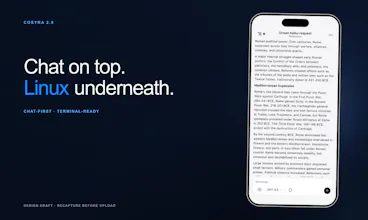
Cosyra is a mobile cloud terminal for AI development. Run Claude Code, Codex CLI, and Gemini CLI directly from your phone. Build with AI agents anywhere - no laptop or remote desktop required.


Free Options
Launch Team / Built With


Cosyra
Hey Product Hunt
My name is Adam, co-founder of Cosyra. Cosyra lets you code from your phone, no laptop required.
When terminal coding agents started popping off last year, I found myself prompting, walking away, and then coming back, only to find that Claude Code had been waiting for input for some indeterminable amount of time. Hence the phone solution.
I figured, why not put my agents on my phone so I can choose when and where I prompt.
It's allowed me and 50 other developers to patch, build, audit, and do anything else your terminal agents can do on your home machine. You can switch between terminal sessions, integrate GitHub, and view your localhost server right from the webview, all without needing your home computer running.
We take security seriously. Your code and credentials are protected by default, with strong isolation and safeguards built into every environment.
Try it free for 7 days or 10 hours of usage, whichever comes first. We’ve also got a Product Hunt promo for early adopters. We built this to be sustainable from day one.
#CodeOnTheGo
@adamroman How do you handle potential latency or sync hiccups when switching between phone sessions and a full desktop setup, especially for longer audits?
@adamroman @swati_paliwal
Hi Swati, thanks for your comment, and that's a great question!
Two parts to the answer:
On latency: the terminal session runs in a cloud Ubuntu container, so there is inherent network latency versus a local machine, typically 80 to 150 ms depending on region. In practice for AI agent workflows, this delay is barely noticeable because the agent itself has natural pauses between thinking and executing. Where you do feel it is rapid command history navigation and Ctrl sequences that need to feel instant. We spent a lot of engineering time on the input layer to minimize perceived latency there.
On switching between phone and desktop, the speed is actually one of Cosyra's core strengths rather than a limitation. Because the environment is a persistent cloud container, your session is the same regardless of which device you access it from. Start an audit on your phone; your full terminal state, running processes, command history, and open files are all there when you open your laptop. There is no sync required because there is only one environment. It is less like switching devices and more like picking up a different window for the same machine.
For longer audits specifically, Pro session hibernation means your container pauses when inactive and resumes in under a second when you return. Nothing drops.
This is a smart wedge into mobile dev workflows.
@adamroman are you planning collab features? like shared sessions or pair coding?
@adamroman @yurii_demchenko
Appreciate your comment, Yurii!
Shared sessions and pair coding are genuinely on our radar. The container architecture actually makes this more tractable than it might seem. Because your environment is a persistent cloud Ubuntu instance, letting someone else connect to that same session is technically closer to tmux shared sessions than it is to building a full real-time collaboration layer from scratch.
Right now each user has their own isolated container, which is the right default for most people since your code and credentials stay completely private. But we have been seriously considering a "share this session" model, where you explicitly invite someone to join, similar to how you would share a tmux session on a remote server.
We are currently prioritizing the core solo developer experience, especially now that Android has just launched and iOS is live as well. But collaboration is a feature we want to build, and your question is a genuine signal that there is demand for it.
If you want to leave your contact in a comment or DM us, we will loop you in when we start testing it. The people who asked first tend to receive early access.
Cosyra
FuseBase
Interesting idea, but I’m not 100% sold yet, typing code on phone sounds... painful? 😅
Or is this more about supervising agents than actual coding?
@kate_ramakaieva
Thank you for your comment, Kate, and the honest answer is that you are right that typing codes character by character on a phone is painful. We agree completely. That is not the use case we are building for.
The shift that makes Cosyra make sense is AI coding agents. When you are working with Claude Code, you are not writing functions and loops manually. You are describing what you want. " Refactor the auth middleware to handle token refresh." The agent reads your codebase, makes the changes, runs the tests, and fixes what breaks. Your actual input is a sentence or two. We even built voice input so you can just speak the prompt out loud.
So the real workflow is supervision and steering, not typing. You review the agent's actions, provide the next instruction, and make adjustments as necessary. That interaction is genuinely natural on a phone.
Currently, the people who benefit most from Cosyra are developers who already use Claude Code on their laptops and often find themselves wanting to continue working when their desks are not available. On-call engineers. People commuting. Someone who had an idea at 11pm and did not want to get up to find their laptop.
Does that reframe it at all? Happy to walk through a specific workflow if it would help.
Cosyra
Banyan AI Lite
Happy launch! How do you handle long-running agent tasks on mobile without interruptions (background limits, disconnects, etc.)?
Cosyra
@davitausberlin Thanks Davit! The agent runs in the cloud. So when you disconnect from the app, your agent will still be running. When you decide to reconnect, we will load the context back onto your phone screen so you can leave off as if nothing happened. We even send you notifications when your agent is waiting for input! Only if you opt-in of course.
The use case that immediately jumps out to me is kicking off a long-running agent task while away from your desk and then monitoring it from your phone. Not replacing desktop coding, but filling the gap when you're between meetings and want something running. Does Cosyra handle async agent sessions that you can reconnect to, or is it more real-time only?
Cosyra
@mykola_kondratiuk Yes absolutely. You can pull your repo, start up claude code in the terminal, prompt, and have it run on our infrastructure while you do other things. You get to choose the tools you want to use, which for most people is Claude these days.
For async sessions, you can create multiple terminal sessions in the sidebar each can run their own CLI agent independently. Again, no need to monitor them, we will send you a notification when they are waiting for input.
That's exactly the workflow I had in mind. Kick it off, walk away, check back later - that's genuinely useful for longer agent runs. Nice.
Definitely trying this ASAP! With how fast everything is moving this would make me able to resume my progress even when I am out. One q: Since Cosyra clones the github repo is there any encryption at rest? If there is a data leakage (hope not, ever) will my codebase be safe?
Cosyra
This nails a real pain point. I run Claude Code constantly and the "walk away, come back to find it's been waiting for 20 minutes" loop is so frustrating. Having push notifications for agent input requests is the killer feature here — that alone justifies going mobile.
Cosyra
@letian_wang3 thank you that means a lot! I know it was definitely a pain point for me as well.