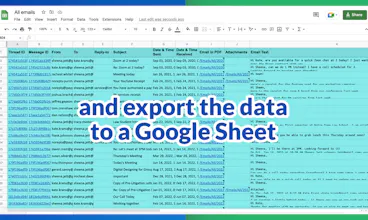
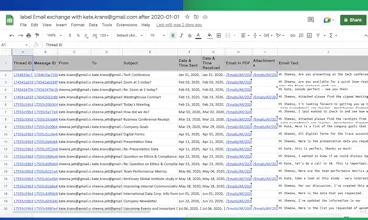
This powerful email parser lets you export all your emails–or specific information from within them–and organizes it into a Google Sheet. Now with a 1 click wizard!
Hello 👋 hunters!
We're so excited to share an update about Export Emails to Sheets with you!
Not only does it export your emails (or specific information from within your emails) into a Google Sheet for you, but there's now an easy 1-click solution ready for any conceivable data mining goal!
~~~Why Use an Email Parser?~~~
✅ Extract specific information from your emails, such as dates, numbers, or names, and use that information in other applications or tools.
✅ Organize and classify your emails based on specific criteria, such as sender, subject, or keywords.
✅ Automate certain tasks, such as sending automatic replies or moving emails to different folders based on your content.
✅ Backup and archive your emails in a more structured and searchable format, such as a Google Sheets document or a database.
✅ Share or collaborate on your emails with other people, such as team members or clients, in a more efficient and secure way.
Overall, email parsing can be a useful tool for anyone who wants to better manage, analyze, and share their email data.
~~~What to Use an Email Parser for?~~~
✔️ Email discovery
✔️ Collect all invoices and receipts
✔️ Email analytics
✔️ Email list builder
✔️ An applicant tracking system
✔️ Collect Shipping and delivery notifications
✔️ Collecting all order statuses and customer feedback
✔️ Collect real estate notifications
✔️ Identify all bounced emails
✔️ Collect Google Alerts (about your name, your company, the industry that you're in, etc)
✔️ Email marketing campaign statistics
And so much more.
🎄10% OFF coupon code: 2LGN2K8H 🎄
cloudHQ. Helping your productivity, 1 click at a time.
@kensavage Hi Ken, and thanks so much for such a great question! The short answer is: YES!
The longer answer is that you have to use the between "--- Attachment" and "End of Attachment" rule, located in the 2nd wizard: https://www.cloudhq.net/c/a8d096...
Curious: why would you use that instead of using a 1-click solution? The 1-click solutions are very new for us, so we're trying to understand in what scenario someone might want to create their own rules.
@brenda_abelini Brenda! It's so nice to see you here! 💞 Thank you so much for all the continued support!
Report
My inbox is such a mess and search in Gmail is a joke, so I'm just happy that something like this even exists. Thanks, guys. For people who want to know pricing: https://www.emails-to-sheets.com...
@jonathan_gans1 Yes, it really is... this should help you locate exactly what you want. We're finding that more and more people prefer to use Google Sheets when they're in the search phase. It's much more powerful than Gmail.
I could see some folks who are trying to get emails into trello using something like this! I dont typically have a reason for wanting to export my emails to csv, but ill save this for next time i know someone is looking for that!





MailKing by cloudHQ
Local Lead Game
MailKing by cloudHQ
Kaisdaq
MailKing by cloudHQ
MailKing by cloudHQ
MailKing by cloudHQ
Oasis Browser
MailKing by cloudHQ
Oasis Browser
Trello Tip Generator and Newsletter
MailKing by cloudHQ
FocuSee
MailKing by cloudHQ