
LocateStore
Create a map of all your stores using Google Sheets
388 followers
Create a map of all your stores using Google Sheets
388 followers
LocateStore turns a Google Sheet into a fast, mobile friendly store locator. Add your store address in a Google Sheet, and get an interactive map with search and filters. Easily embed on any website. No code, no API keys, and edits sync instantly. Built for multi location brands that want a simple “find a store near me” experience.


Hi Product Hunt 👋
Shyjal here from Micro.company, maker of LocateStore.
While working with many businesses, we kept seeing the same issue: Building a store locator is still far more complicated than it should be.
Most teams already manage store locations in a spreadsheet. But to put those locations on a live map, they end up dealing with map API keys, custom development, agencies, long back and forth, and ongoing maintenance. All for something that should be simple. So we built LocateStore.
LocateStore lets you manage all your store locations in a Google Sheet. Store name, address, contact details, website, tags and more. From that single sheet, LocateStore automatically creates a clean, interactive, mobile friendly store locator with search and filters. Any update in the sheet reflects instantly on the live map.
No code. No API keys. No maintenance.
How it works is simple.
- Sign up to locatestore
- Add locations to a Google Sheet
- Copy-paste a small embed snippet into your site
That’s it, your store locator is live.
We built LocateStore to keep store locators simple, easy to understand, and fast to set up. It is designed to deliver a smooth “find a store near me” experience and is already powering 1000+ businesses.
Would love for you to check it out, try it, and share your feedback.
This is a really satisfying idea - “a Google Sheet becomes a store locator” is exactly how most small teams already work. The no-API-keys, no-maintenance promise is a huge win.
I’m curious how it behaves once it meets real-world data though. Addresses are often messy, duplicated, or half-filled - do you do any validation/cleanup, or is it strictly “whatever’s in the sheet”?
Also, if someone has a larger list (say, a few thousand locations), does the map stay snappy and readable? And can the embedded map be styled enough to feel on-brand, or is it intentionally minimal?
Congrats on the launch - this feels like one of those tools that saves you an entire weekend the first time you need it.
On data quality, we try to be forgiving by default. We auto normalize and geocode addresses as best as possible, flag rows that need attention, and safely skip incomplete ones instead of breaking the map. The sheet stays the source of truth, but we help catch obvious issues.
For scale, a few thousand locations is fine. We use clustering and lazy loading so the map stays fast and readable, even on mobile.
Styling is intentionally simple to start, but you can already control colors, map style, markers, and layout so it blends well with your site. We are expanding this without turning it into a design headache.
Really glad it resonated. Saving that weekend was exactly the goal.
@shyjal This is exactly the pragmatic approach I hoped for - be forgiving, flag issues, don’t break the map.
Glad to hear a few thousand locations stays snappy on mobile too. And keeping styling flexible-but-simple is the right tradeoff.
Congrats again - love tools that quietly save a weekend.
Thank you Dmitry 🙌
Turning a live Google Sheet into a locator gets tricky at scale: Sheets API quotas plus geocoding churn and 1k+ pins can tank TTI on mobile.
Best practice is to precompute and persist canonical lat,lng in the sheet, batch geocode server-side with caching, and ship a CDN cached JSON feed with marker clustering or viewport based loading.
What geocoder and maps stack are you using to keep it truly “no API keys,” and how do you handle address normalization plus rate limits when rows change frequently?
Great questions @ryan_thill
We use multiple map providers under the hood to deliver a beautiful store locator with zero technical effort.
Data is synced in batches rather than read in real time from Google Sheets, which makes the system scalable.
We already have thousands of store locators running, each handling a healthy number of daily visitors.
I hope I answered your questions. Let me know if you have any other questions.
I once spent three painful days trying to build a store‑locator UI for my parents’ business — wrestling with API keys, messy code, and endless tweaks, only for it to still look pretty awful in the end. Seeing LocateStore honestly made me laugh a little… this would’ve solved my entire headache in seconds. The convenience and speed here are exactly what I wish I had back then.
One question though, I’m curious about the subscription model. What’s the reasoning behind separating pricing by monthly visits and monthly searches? It would be great to understand how those metrics map to real usage patterns. As the product evolves, it might also be worth exploring additional value for the paid tier — things like analytics, custom branding, advanced filters, or integrations that help teams get even more out of their store locator.
Overall, this is a thoughtful and well‑executed tool. Congrats to your launching!
@xwang09
Yes convenience and speed, thats what we are aiming at.
We have multiple map providers working behind the screen and the charges (based on visits and searches) you are seeing are basically, what we owe the Map provider to create and display the maps.
We do provide analytics like searches, popular search keywords, custom branding is possible with custom pins (if thats you meant).
Did you have any particular integration in mind?
Thanks for your comment!
Our primary focus is on a fast, embeddable widget rather than heavy SEO pages. Around 90 percent of our users use LocateStore mainly for embedding.
That said, the locator is still SEO friendly by default. We just chose simplicity, performance, and ease of setup as the core tradeoff, especially for teams that want something live quickly without ongoing maintenance.
Hello,
A great and very useful tool.
I have a few clarifying questions:
Is it possible to support multiple maps within a single account?
Is it possible to add custom fields (for example, store type, status, or opening hours)?
@antony_pro Thank you for your questions.
1) Yes with one account you can create multiple storelocators. Each store locator will be linked to a unique Google Sheet. Please note that our premium plans are per storelocator.
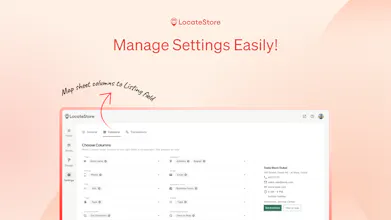
2) Yes, you can add custom fields. There would be separate columns in the Google Sheet and in our settings you can map those columns.
@antony_pro @aslamabbas Alright
Thank you for your reply.
Love the simplicity of the concept, going from a simple, accessible datastore to a embeddable web component. I honestly kind of want to use this just personally to create a map of my favorite places around town.
@wcrtr Thank you for your honest feedback.Yes, feel free to create any map of your liking.
Your favourite cafes in town.
Create a travel list for your friend.
Places you want to visit in future.