I'm really impressed with theORQL.
When something breaks in your frontend app, it usually takes a lot of time to find the problem. You check the browser, open the console, and go through many files.
theORQL makes this much easier. It shows what is happening on the screen, finds the error, explains it in simple words, and even suggests how to fix it.
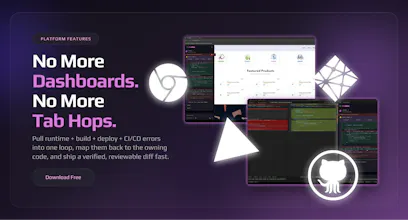
The best part is that it connects the UI directly to the code. This saves so much time and avoids confusion.
If you build React or modern web apps, this tool can make debugging faster and less stressful.
Kudos to the team for such great work 👏🏻👏🏻



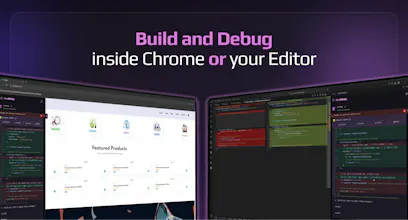

I can't think of a better debugging tool than this.. you simply stay on your browser and the tool does the debugging
Been using it for awhile now and really appreciate the good work from the team
theORQL
@nobert_ayesiga Thank you so much Wise!!!! Happy that you've been using theORQL already. I'm curious what's the most useful workflow so far?
theORQL
3 console errors. theORQL detects them, reads the source files, traces the issue to a missing await on an async call, and proposes a fix. No copy-paste into your AI chat. No switching out of Chrome. This is what debugging without context-switching looks like.
theORQL
Wow we're so humbled by all the outreach and support! Thank you to all our users, commenters, and special thanks to @fmerian for hunting theORQL!
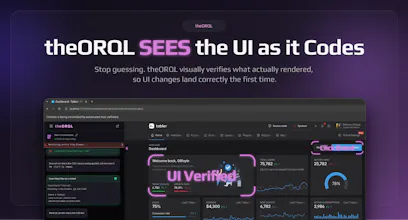
The problem isn’t “AI can’t code frontend.” It’s that most AI is blind. It can only guess from text and patterns, then hope the UI renders the way you meant.
I've been using theORQL for the last couple of months. I've actually written some articles and created some videos about it as well, but now I'm very impressed with 2 of the new features:
Vision: theORQL can actually see the UI (screenshots) and verify changes in Chrome
Auto Repro → Fix → Verify loop for the really tough bugs (theORQL will actually click buttons, resize the page, fill forms, etc., to reproduce bugs and fix them)
Debugging is the proof case. If you can reproduce a bug, you can fix it; the hard part is getting to a stable repro and the right evidence.
theORQL runs an Auto Repro → Fix → Verify loop: trigger the UI flow (clicks, fills, resizes), capture evidence (screenshots + runtime signals), propose a fix, then re-run and visually confirm it’s gone.
It’s not autonomous chaos. It ships a reviewable diff and never auto-commits. Developers stay in control.
In conclusion:
⚠️ What makes this different from Copilot/Cursor: they’re great at text-in/text-out. theORQL is UI-in/code-out, because it can actually see what rendered.
🔑 What this unlocks: faster frontend iteration, fewer “tweak → refresh” loops, and more trust that the change actually worked before you merge it.
🤝 The bet: the next step for AI dev tools isn’t bigger models. It’s closing the verification loop with vision, interaction, and real runtime evidence.
theORQL
@eleftheria_batsou Wow thank you Eleftheria! So great to hear from you here and thanks for your support. We're building even more features for frontend devs now. If you have any you'd like to see please let us know in the comments!
Learnify
Such a helpful project for developers. Really like using it.
Congratulations on the launch 🎉
theORQL
@shefali_j07 Thank you so much!! If we could add one killer feature for you what would it be?
Congratulations on the launch. Will try this out today.
theORQL
@ahmednabik Amazing thank you for your support! Try it out and would love to hear about your experience.
Congratulations! one of the biggest pain points is when Cursor or Claude decides to "fix" a CSS
theORQL
@ben_gend Thanks Ben!!! yes exactly the pain point we're solving. Tons more to come too in the coming weeks please stay tuned!